The internet in the office is fast, but video conferences are lagging, files take forever to upload, and the printer "disappears" from the network at the most inconvenient moment? In many companies, the problem isn't the ISP's connection, but the way the Wi-Fi is organized. A router that worked well for a few devices often struggles to cope with the growing number of employees and equipment.
This is where it comes in access point in the company. This solution streamlines your wireless network, increases its stability, and allows for better security control. In this article, we explain what an access point is, how it differs from a router, and when it's worth considering implementing one in your office.

Access point – what is it and what role does it play in the company?
You have a Wi-Fi router, so is the access point just "another box with antennas"? Not necessarily. In a corporate network, it serves a completely different, very specific role.
What exactly is an access point?
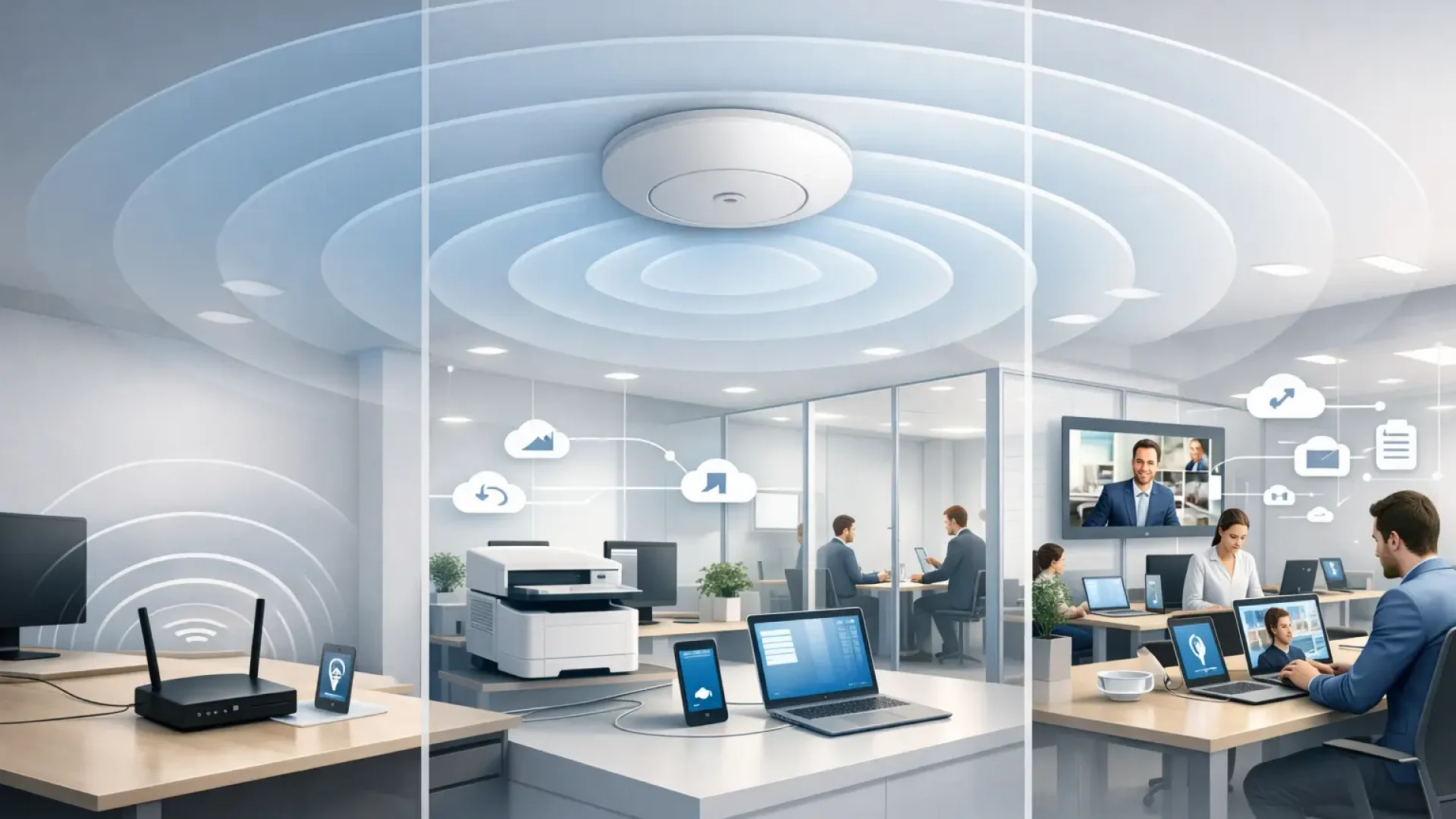
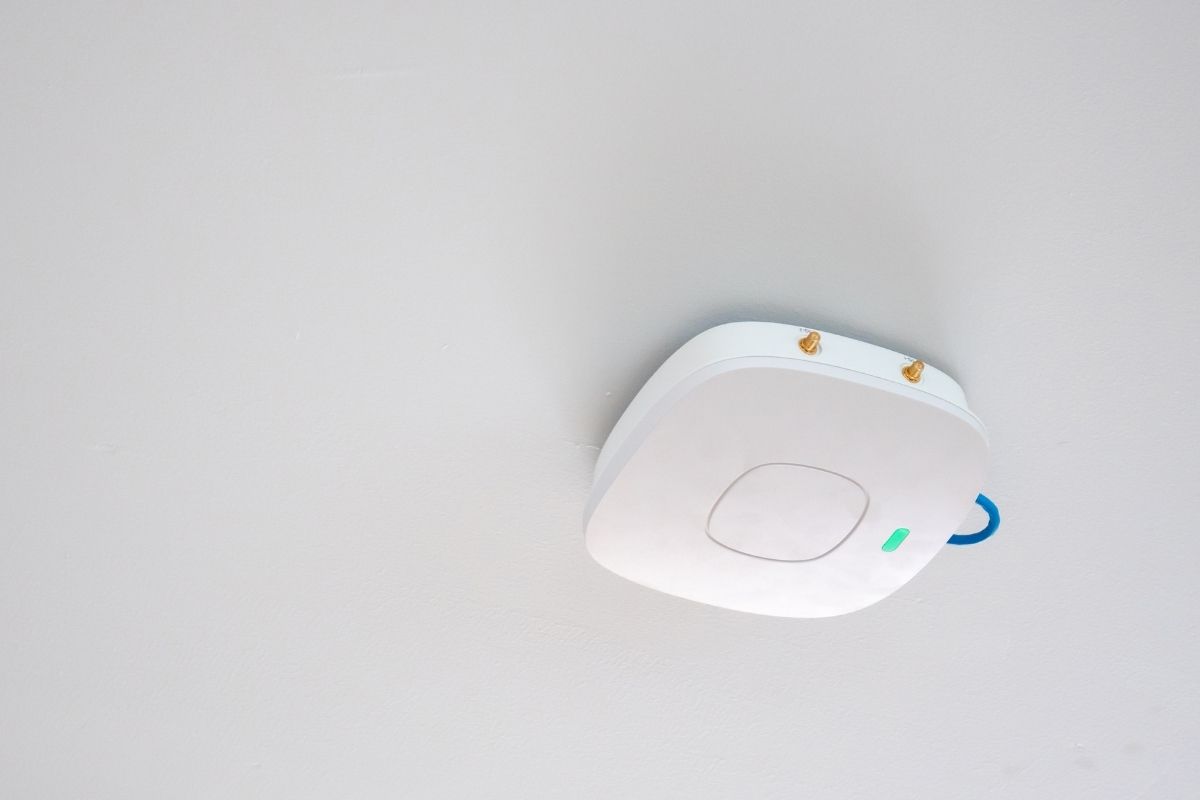
An access point, or Wi-Fi access point, is a device that connects the wireless world with the wired world. Simply put, it allows laptops, phones, printers, and warehouse terminals to connect to the company LAN without a cable.
In practice, an access point is connected via cable to a network switch or router, and then "broadcasts" the Wi-Fi network within its range. This allows wireless devices to access the internet, file servers, ERP systems, or printers as if they were connected directly to the network via cable.
This is a very important distinction – an access point doesn't replace the entire network infrastructure. It extends it with a wireless layer.
Access point vs. router – where does all the confusion come from?
In small offices, a router often has a built-in Wi-Fi module. This means that a single device performs several functions simultaneously: connecting the company to the internet, distributing network traffic, and sharing Wi-Fi. And that works—until the company starts growing.
In a larger environment, roles are usually separated:
• the router is responsible for the Internet connection and security at the external interface,
• the switch manages traffic in the cable network,
• access point provides stable Wi-Fi in a specific area of the office.
This approach provides greater control, scalability, and predictability. Instead of a "harvester" that has to do everything, we have specialized components that work together.
What is the real role of an access point in the company?
In a business environment, an access point isn't just about range. Its role extends much further, encompassing four key areas:
• ensuring stable access to the network for many devices simultaneously,
• enabling smooth movement with a laptop or phone without losing connection,
• separation of the employee network from the guest network,
• increased control over Wi-Fi security and configuration.
In practice, this means fewer interrupted video conferences, fewer "internet down" reports, and greater predictability of the entire team's work.
Why is Wi-Fi in the company not just about „range”?
At home, it's often about ensuring the signal reaches every room. In a business, network capacity is equally important—the number of devices that can use Wi-Fi simultaneously without any degradation in quality.
Imagine 20-30 people in an open-plan space, each with a laptop and phone, plus printers, a TV for presentations, and sometimes scanners or IoT devices. A home router then becomes a bottleneck. An access point designed for a business environment can handle this load much better.
Moreover, stability during VoIP calls and online meetings is crucial for businesses. Brief interruptions in transmission, which are barely noticeable at home, translate into lost information and frustrated customers in business.
Access point as part of a larger puzzle
It is also worth looking at the access point not as a single device, but as an element of the entire architecture networks. In larger offices, multiple access points are installed, strategically placed throughout the building. This ensures even network coverage and allows users to roam without any loss of connection quality.
This approach is similar to the lighting system in an office – a single central bulb isn't enough if there are multiple rooms. What's needed is a well-thought-out network of points that, together, create a cohesive and stable work environment.
In summary: a corporate access point isn't a gadget or a "signal booster," but a consciously designed element of infrastructure. Its mission is to provide stable, secure, and scalable Wi-Fi that keeps pace with business growth.
Access point, router, mesh or signal booster – what will really improve Wi-Fi in your company?
Have a Wi-Fi problem and your first thought is, "We'll just buy a repeater and that'll be it"? In practice, this is where many companies start making things worse rather than fixing them. Different devices solve different problems—and not all are suitable for a business environment.
Before you make a decision, it's worth understanding how these solutions actually differ.
A Wi-Fi router is a good solution for starting, but not always for development.
A router is a device that connects a company to the internet and manages network traffic. In small offices, it often has built-in Wi-Fi, and for some time, this is sufficient.
The problem begins when:
• the number of users and devices is growing,
• the office has several rooms or floors,
• VoIP calls, video conferences, and cloud-based ERP systems are emerging.
The all-in-one router then has to handle internet, security, and dozens of wireless connections simultaneously. At some point, it becomes a bottleneck.
Access point – extending the network in a controlled manner
An access point doesn't replace a router, but complements it. It connects to a wired network and provides Wi-Fi in a specific area of the office.
The biggest difference is that:
• each AP is responsible for a specific space,
• you can add several of them and cover the entire office with a stable signal,
• easier control of network quality, security and segmentation.
This approach is standard in enterprise environments because it allows the network to scale as the organization grows.
Mesh – comfortable, but not always business-friendly
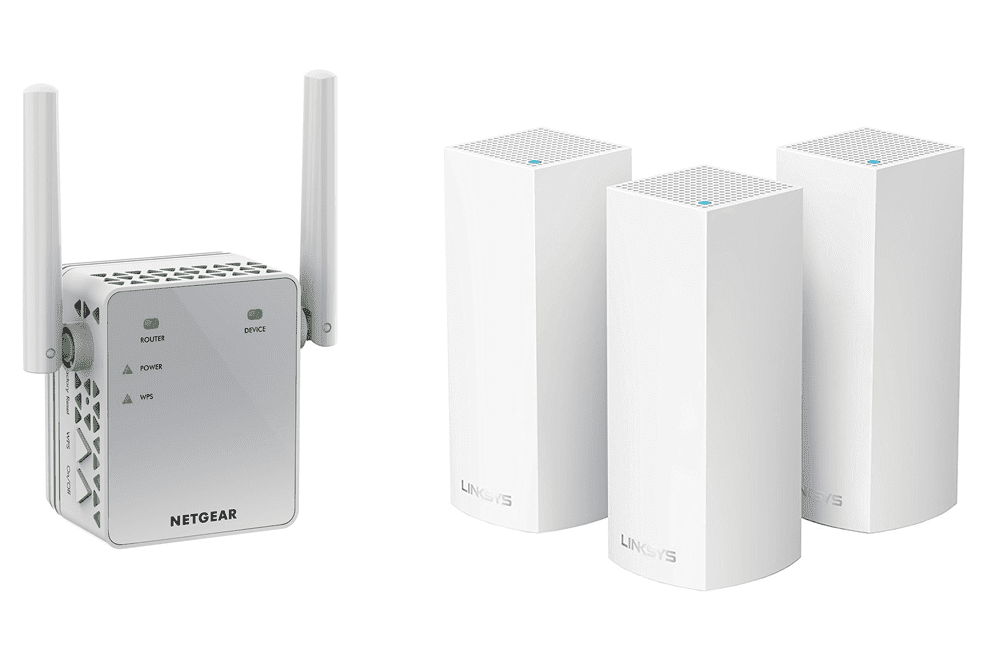
System mesh It's a set of devices that communicate wirelessly with each other and create a single network. It works very well in homes because it allows you to quickly improve coverage without running cables.
However, there are limitations in the company:
• some traffic is carried wirelessly between mesh devices, which may reduce performance,
• configuration and segmentation options may be limited,
• management is sometimes less complex than in business solutions.
Mesh may be a sensible option in a small office, but in a more demanding environment, a classic architecture with wired access points works better.
Repeater – the most common half-measure
A repeater, or signal amplifier, takes existing Wi-Fi and broadcasts it further. It sounds simple, but it has a significant drawback: it duplicates the same signal, often reducing its quality.
In practice, this means:
• longer delays,
• less stability during videoconferencing,
• problems with smooth switching between network points.
In a business environment, a repeater is usually a temporary solution, not a permanent one.
What to choose so as not to worsen the situation?
If your problem is a single dead zone in a small space, a repeater or mesh network may be sufficient. However, if we're talking about a company employing a dozen or so people and connection stability impacts the quality of customer service, a wired access point will most often be the solution.
It's the difference between "patching the signal" and "designing the infrastructure." In business, the latter approach definitely works better.
In the next step, it is worth answering the question: whether in your case the problem is only related to the range, or rather to the performance and stability of the entire Wi-Fi network.
When does an access point make sense – and when is a router completely sufficient?
Does every business need an access point? No. In some cases, a well-chosen Wi-Fi router will easily do the job. The key isn't what's "in style," but what your work environment actually looks like.
Let's start with the most important thing - the decision should be based on business needs, not on the manufacturer's catalog.
When can a Wi-Fi router be sufficient?
A router with built-in Wi-Fi is ideal when the environment is simple and predictable. Typically, we're talking about a small office or commercial space where:
• several people work and a limited number of devices use the network at the same time,
• the space is 1-2 rooms without thick walls and many obstacles,
• there are no intensive videoconferencing or real-time systems,
• there is no need for extensive network segmentation or separate access policies.
In such a scenario, investing in additional infrastructure may be an unnecessary expense. However, it's important that the router is a business-class device, not a typical home device.
When does an access point start to make real sense?
The situation changes as a company grows – the number of employees, devices, and technological requirements grow faster than you might think. An access point makes sense especially when Wi-Fi begins to impact the quality of team work.
The most common signs that your router is no longer sufficient:
• dead zones appear in part of the office or on another floor,
• with a larger number of users, the network slows down or "loses" devices,
• online conversations are interrupted when moving around the office,
• a separate, secure guest network is needed for customers or contractors.
In such cases, an access point allows for load balancing and stable coverage of a larger area. Importantly, more access points can be added as the company grows, without replacing the entire infrastructure.
Scalability – an advantage that becomes apparent over time
A Wi-Fi router is a "point" solution—one device in one location. Access points, on the other hand, create a system that can be expanded in stages.
Today, you need one additional point in a conference room. Next year, you'll add another room, and in two years, perhaps a second location. Access point-based architecture allows you to respond to these changes without disrupting the entire network.
This is especially important in companies that:
• employ new employees,
• implement cloud systems and work in a hybrid model,
• they use mobile devices, scanners, terminals or IoT.
It's not just about range, but also about predictability
In a business environment, Wi-Fi should be like electricity in a wall socket – it should always work, without question. If your wireless network starts to cause issues, frustration, and downtime, it's a sign that it's worth considering it as a component of your infrastructure, not an add-on to your router.
An access point makes sense when:
• connection stability affects customer service,
• downtime generates real costs,
• network security is important from the point of view of corporate data.
However, if the environment is small, simple and shows no signs of overload, a well-chosen router may be completely sufficient.
The most important thing is not to over-solve the problem, but also not to wait until Wi-Fi becomes a bottleneck for the entire organization.
What Really Improves Wi-Fi in the Office – 6 Things Companies Forget
Do you have fast internet and new laptops, yet your Wi-Fi is still unstable? In practice, the problem rarely lies with the connection itself. More often than not, it's a combination of minor oversights that create a bottleneck.
Below are 6 elements that really improve the quality of Wi-Fi in the office – and which companies often forget about.

Improving office Wi-Fi is rarely about "buying a more powerful router." It's more about thoughtful placement, the right number of devices, configuration, and overall control.
A well-designed wireless network is unobtrusive. It simply works—stable, predictable, and without "no internet again" notifications.
Corporate Wi-Fi Security – The Minimum You Really Need to Have
Wi-Fi in the company is supposed to work Quick, but also, above all, secure. The problem is that many organizations treat wireless networks as a "convenient addition," rather than a component of the infrastructure through which customer data, accounting documents, and system logins flow.
There's no need to build a complex, enterprise-class architecture. Simply implement a few basic principles that will truly improve security.
Current encryption standard and a sensible password
The first step is to use current encryption mechanisms, such as WPA2 or WPA3. These are responsible for protecting data transferred between the device and the access point.
Equally important is the password. "Simple because it's easy to remember" usually means "easy to crack." Passwords should be long, unique, and changed in the event of an employee leaving or a data breach.
This is basic safety hygiene – without it, all the rest is meaningless.
Separate guest network
Customers, clients, and business partners all want internet access in your office. The problem begins when they share the same network as your employees.
Separate guest network:
• separates guest traffic from company resources,
• reduces the risk of unauthorized access to servers and printers,
• allows you to set other security rules and restrictions.
This is one of the simplest and most effective solutions that can be implemented in any company.
Network Segmentation – Not Everything Needs to „See Everything”
In many offices, all devices operate within a single shared network space. An employee's laptop, printer, conference room TV, and CCTV recorder all share the same network.
It's convenient, but dangerous.
Segmentation, most often implemented using VLANs, allows for the logical separation of different device types. This prevents a potential problem with one component from automatically escalating across the entire infrastructure.
Device updates and control
An access point or router isn't a "set it and forget it" device. They're devices with software that, like operating systems, require updates.
No update means:
• vulnerability to known security vulnerabilities,
• no bug fixes,
• less stability of the entire network.
It's worth using solutions that enable centralized management and monitoring of device status. This gives you control over what's happening on your network, rather than having to react only after an incident occurs.
When is it worth taking a step further?
For smaller companies, the elements described above are a solid minimum. However, as organizations grow, the need for greater control over network access arises.
This is when solutions are considered, where each user logs into Wi-Fi with their own credentials, and access can be granted and revoked individually. This is a natural next step towards structured and scalable security.
Well-secured corporate Wi-Fi doesn't have to be complicated. It should be well-thought-out. It's one of those investments that doesn't generate direct revenue, but protects what's most valuable to a company—data, business continuity, and reputation.

How to choose an access point for your company – what to pay attention to so as not to overpay and not regret it?
Choosing an access point shouldn't start with browsing models and comparing "maximum speeds." In a business environment, stability, scalability, and security are more important than marketing numbers on the box.
Below you have the most important criteria that should really determine your choice.
1. Wi-Fi standard – tailored to real needs
Not every company needs the latest standard. Wi-Fi 6 is currently a reasonable benchmark for offices with a larger number of devices. However, if the network includes several computers and a printer, investing in the highest-end may not be justified.
It is worth assessing how many devices will use the network now and in 2-3 years.
2. Number of users and devices simultaneously
The key question is: how many devices should work simultaneously without compromising quality? In the office, this includes not only laptops but also phones, printers, televisions in conference rooms, and IoT devices.
A good access point should be selected according to the load, not just the square footage.
3. Management – local or central
In a small environment, a single access point can be configured manually. In a larger company, centralized management is more effective, enabling:
• load monitoring,
• quick configuration changes,
• security updates,
• analysis of problems without walking around the entire office.
This saves time and gives you greater control over your network.
4. Power and Infrastructure – PoE Matters
An access point powered by PoE, i.e., a network cable, offers greater installation flexibility. It can be placed in an optimal location, rather than wherever the nearest power outlet is.
It is worth checking whether the existing switch supports PoE and whether the cabling will not be a bottleneck.
5. Security and segmentation
The ability to create a guest network, configure VLANs, or support modern encryption standards are not add-ons these days, but basic functions in the company.
If an access point does not provide control over who has access to what, sooner or later it will become a limitation.
6. Scalability – Thinking about the Future
Today you need one device, tomorrow you might need three. It's worth choosing a solution that allows you to easily add additional access points without replacing the entire infrastructure and avoiding configuration chaos.
The network should grow with the company, not block its development.
Summary of decisions
Choosing an access point for your company isn't about "the most powerful hardware," but rather about adapting it to the specific work environment. The number of users, the nature of the work, security, and expandability are key factors.
If you're unsure whether a single device is sufficient in your office, or whether a well-thought-out setup of multiple access points is necessary, it's worth considering first. We can help you assess your real needs and select a solution that's stable today and ready for growth tomorrow.
Frequently asked questions
An access point is a device that allows laptops, phones, and other devices to connect wirelessly to the company network. It connects to the wired network and "extends" it with Wi-Fi. It doesn't replace a router, but works in conjunction with it.
A router connects a company to the internet and manages network traffic. An access point is primarily responsible for ensuring stable Wi-Fi within a specific area of the office. In small businesses, a router often has built-in Wi-Fi, but in larger environments, these functions are usually separated.
This depends on the square footage, room layout, and number of devices. Sometimes a single, well-placed AP is enough, while other times two or three are needed to ensure even coverage and adequate performance. Planning, not guesswork, is key.
It won't increase the speed of your ISP's connection, but it can improve the stability and quality of your office connection. If interference, router congestion, or dead zones are a problem, an access point can significantly improve your work experience.
In a small office with a few devices, a Wi-Fi router may be sufficient. An access point becomes more useful when problems with range, stability, or a growing number of users arise.
It doesn't "magically" improve security, but it does enable better network control. It makes it easier to implement guest networks, segmentation, and modern encryption, which significantly improves corporate data protection.
Well designed Wi-Fi in a company it is not a luxury, but an element of infrastructure that affects the daily efficiency of the team. Access point in the company is not a gadget or a "signal booster", but a way to organize the network, increase its stability and prepare it for the development of the organization.
If your router is no longer sufficient, with dead zones, dropped calls, or performance issues with multiple users, it's a sign that it's worth considering a broader approach. Sometimes a single additional access point is enough, while other times a well-thought-out arrangement of multiple devices is necessary.
If this topic applies to your company and you want to ensure your Wi-Fi is stable and secure, please contact us. We'll be happy to help you choose a solution tailored to your environment.