Does your company really have control over its data… or does it just seem that way?
Most businesses today operate under the "it works" model—files are scattered across computers, clouds, and emails, backups are "out there somewhere," and access to data often depends more on chance than conscious strategy. Problems arise only when something stops working—and by then, it's usually too late to make any decisions.
And this is where it comes in Synology – a solution that many associate only with a "file server," but which in practice solves a much broader set of business problems. We're talking about an ecosystem that can organize backups, centralize data, streamline teamwork, and even protect the company against downtime or information loss. Furthermore, solutions like Active Backup for Business allow centralized management of backups for computers, servers, and Microsoft 365 services from a single location. .
In this article, you'll learn about Synology from a slightly different, more practical perspective. You'll discover useful solutions, and if you've been looking for products from this company, after a short read, you'll gain peace of mind and confidence in your choice.
Synology is more than just NAS – what this ecosystem really means for business
Many companies still perceive Synology simply as a "file server." This is understandable, as that's often where first encounters with the brand begin. In practice, however, it's a much broader ecosystem that combines data storage, backup, file collaboration, monitoring, and select cloud and management services in a single environment. Synology itself describes its business offerings today in several key areas: storage and data management, data protection, video surveillance, business productivity and C2 services.
The key point is that Synology doesn't solve a single problem, but rather organizes several areas at once. On the one hand, it gives the company a central place for data and shared resources, and on the other, it allows backups of computers, servers, virtual machines, and Microsoft 365 services from a single pane of glass. Active Backup for Business is positioned as a centralized solution for protecting various IT environments, not just individual devices.
This is important from the perspective of SMEs, because in small and medium-sized businesses, the problem is rarely a mere lack of hardware. Much more often, it's chaos – files are spread across multiple locations, backups are patchy, access isn't managed consistently, and a single computer failure can bring an entire department to a halt. This is where Synology makes sense: as a platform that simplifies everyday IT without building heavy and expensive infrastructure.
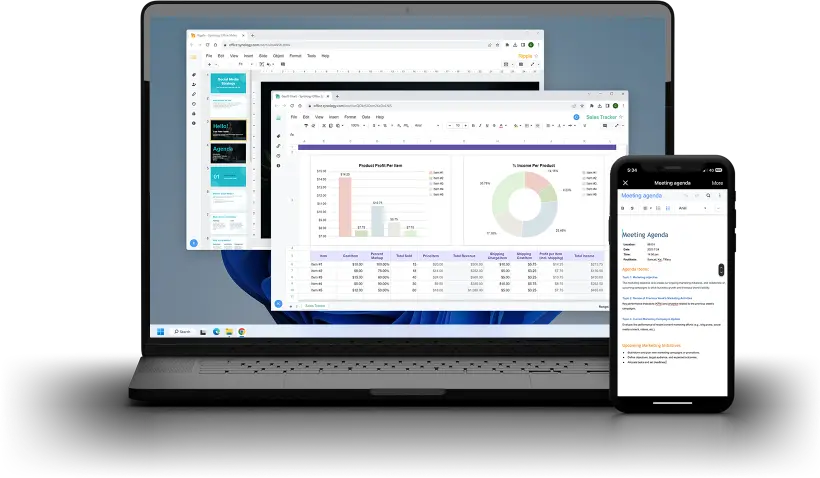
The second strong pillar of this ecosystem is the private cloud and file collaboration. Synology Drive allows you to create a corporate environment for storing, synchronizing, and sharing data, while Synology Office adds collaboration on documents, spreadsheets, and presentations in a private model, with greater organizational control. This isn't always intended to replace the public cloud, but for many companies, it complements it well or streamlines file workflows where previously there was chaos.
The third area that many people overlook is physical security and additional services. Surveillance Station is being developed as a fully-fledged IP surveillance solution with central management, while Synology C2 services extend on-premises deployments to the cloud—for example, for off-site backup, synchronization, or building a more resilient hybrid model. This means that Synology isn't limited to a device sitting in a rack or on an office shelf.
From a business perspective, Synology's greatest value lies not in the NAS itself, but in coherence. Instead of gluing backup, files, monitoring, and other tools together, a company can integrate several important processes into a single, logically connected ecosystem. That's why Synology performs so well in many business environments—especially where cost-effectiveness, simpler management, and real control over data are key.
From our perspective, this is also why we recommend and implement these solutions. A well-designed Synology environment can serve not only as a data warehouse for a company, but also as a real foundation for IT order.
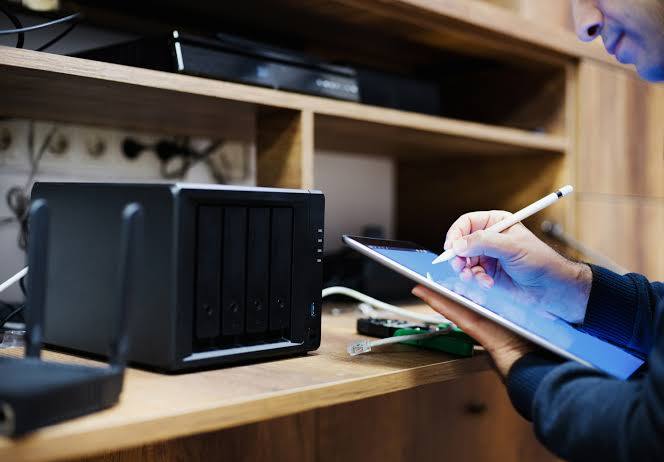
Backup and data recovery – Synology's strongest point in the company
Could your company get back to work within hours after a disaster, ransomware attack, or simple employee error?
In practice, backup is an area that often "exists," but doesn't always work as intended. Backups can be scattered, untested, and the data recovery process is unclear or too time-consuming. And this is where Synology demonstrates its greatest advantage – as a cohesive data protection environment, rather than a collection of random tools.
Active Backup for Business – central backup of the entire infrastructure
Instead of installing separate backup solutions for computers, servers, or virtual machines, Synology offers one tool for everything.
Active Backup for Business (ABB) allows you to protect:
- • employee computers (Windows, macOS),
- • physical servers,
- • virtual machines (e.g. VMware, Hyper-V),
- • file servers.
The biggest advantage is centralization – you manage everything from a single dashboard. You can set schedules, retention, backup policies, and recovery scenarios without having to jump between systems.
In practice, this means two things:
- • you have real insight into whether the backup is working,
- • you are able to quickly restore data – even to another device or environment.
This is especially important in emergency situations, where not only what counts, do you have a backup, But how fast can you use it.
Active Backup for Microsoft 365 – protecting data that was „supposed to be safe”
Many companies assume that because they use Microsoft 365, their data is automatically secured. In reality, Microsoft is responsible for the service's availability, but not for the complete protection of your data from:
- • deletion by the user,
- • synchronization errors,
- • ransomware attacks,
- • retention restrictions.
Active Backup for Microsoft 365 allows you to create independent backups:
- • Exchange Online mail,
- • OneDrive files,
- • SharePoint data,
- • Teams communication.
This allows the company to regain control over its data – without being dependent on the cloud provider's retention policies.
Hyper Backup and C2 Storage – 3-2-1 security
Backup is not just about making copies – it is also about storing them properly.
Here it comes in Hyper Backup, a tool for securing the Synology environment itself:
- • data on NAS,
- • system configuration,
- • applications and services.
Copies can be sent to various locations:
- • second NAS (e.g. in a different location),
- • external drive,
- • cloud (e.g. Synology C2 Storage, S3, other solutions).
This allows you to implement the classic model 3-2-1, That is:
- • 3 copies of data,
- • on 2 different media,
- • 1 off-site location.
Why is this so important?
Because in the event of a fire, theft, or data encryption by ransomware, local backups may not be enough. Only an offsite copy provides real security.
What makes Synology backup stand out in practice?
From a company's perspective, it's not the features on paper that matter most; it's how the system performs in everyday use. In Synology's case, there are a few things to note:
- • one environment for managing backups of various systems,
- • no additional licensing costs in many scenarios,
- • fast data recovery (even for entire machines),
- • ability to test backups,
- • integration with the cloud (C2) without the need to build a complex infrastructure.
This means that backup is no longer a „must” and becomes a real element of business security.
Where companies most often make mistakes
The most common problem isn't a lack of backup, but rather poor backup design. We often encounter situations where:
- • backup is only on one device,
- • no one checks whether the copies can be reproduced,
- • there are no copies outside the company,
- • Microsoft 365 is considered a „backup in itself.”.
If your company is experiencing the same issue, this is where a well-designed Synology environment can make the biggest difference.
A well-implemented backup in Synology works a bit like insurance – you don't think about it every day, but at a critical moment it decides whether the company is back to work in a few hours or down for several days.
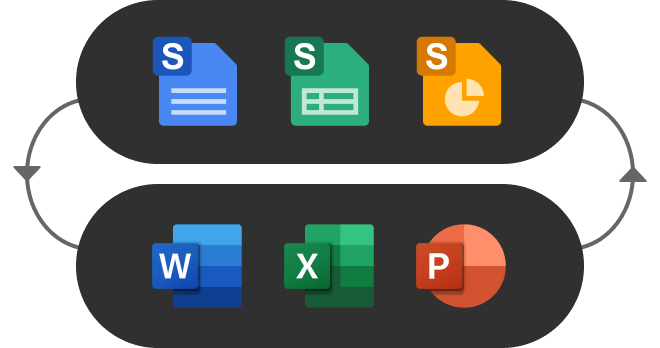
Private cloud and file work – Synology Drive and Synology Office
Are your company's files always where they should be?
Or maybe some of it is on employees' computers, some in emails, and some "somewhere in the cloud"?
This is one of the most common problems in SMBs. File chaos isn't a result of a lack of tools, but rather an overabundance and lack of consistency. And here, Synology offers a very practical solution: a private corporate cloud that combines workflow convenience with data control.
Synology Drive – company files under full control
Synology Drive It's more than just a classic file server. It's a system that works similarly to popular cloud services, but is embedded within your infrastructure.
In practice, it gives the company:
- • central place for all data,
- • access to files from any location (office, home, business trip),
- • synchronization between devices,
- • document versioning (possibility to undo changes),
- • secure file sharing with customers and partners.
The biggest difference from the "old" file server approach is that the user no longer needs to be on the same network. Files are accessible as in the cloud, but remain under the company's control.
This is especially important where:
- • employees work in a hybrid way,
- • the data is sensitive (e.g. financial documents, projects),
- • the company wants to reduce its dependence on many external services.
Synology Office – Collaboration Without Chaos and Without Final_V7„
Access to files is one thing, but the real problem begins when working in teams.
Synology Office allows you to create and edit:
- • documents,
- • sheets,
- • presentations
directly in the browser – with the possibility of collaboration between several people at the same time.
What does this change in practice?
- • no more sending files by email,
- • no duplicate documents,
- • one current version of the file for the entire team,
- • history of changes and the ability to undo them.
This solution does not always replace tools like Microsoft 365 in 100%, but in many companies it works great as a supplement or alternative – especially where control over data is key.
Private Cloud vs. Public Cloud – When Does It Make Sense?
It's worth being clear: Synology isn't always intended to replace the public cloud. In many cases, a hybrid model is the best approach.
However, a private cloud based on Synology has a big advantage in several situations:
- • when the company wants to have full control over the data,
- • when files are large and frequently used locally,
- • when long-term costs are important (no per-user fees),
- • when integration with backup and local infrastructure is needed.
It's like owning your own warehouse instead of renting space – you have more control and predictability, but also more responsibility.
Where companies most often make mistakes
The most common scenario looks like this:
- • some of the data is on computers,
- • part in OneDrive or Google Drive,
- • part on the server,
- • and access to them depends on "who knows where what is.".
Effect?
Waste of time, document errors and risk of data loss.
Synology Drive and Office don't solve everything automatically, but they provide a solid foundation for organizing this area – provided the implementation is thoughtful.
From our perspective, this is one of the areas where companies experience real change most quickly. A well-organized file environment can shorten work hours, reduce errors, and simply relieve the team of the daily frustration associated with "searching for documents.".
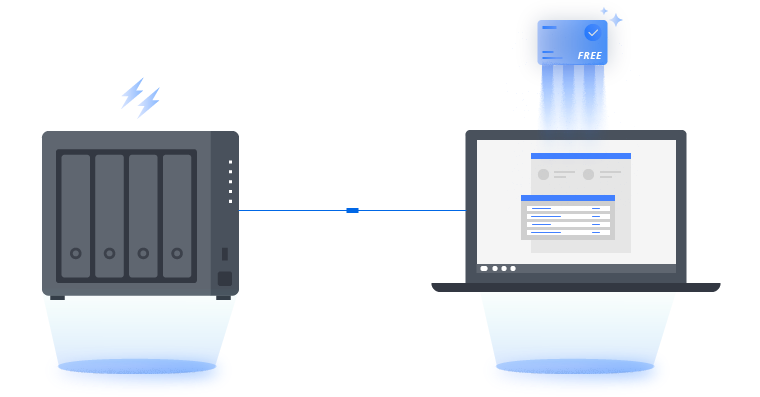
Synology C2 – when is it worth connecting your local NAS to the manufacturer's cloud?
Is a local server in a company enough to talk about data security?
In many cases – unfortunately not.
A local NAS solves a lot of problems, but it still remains a single physical point. This means that in the event of a major failure, theft, fire, or ransomware attack, a company could lose access to its data, despite having a backup. And that's where the problem comes in. Synology C2 – as a natural extension of the local environment with a cloud layer.
C2 Backup and C2 Storage – an additional layer of security
Simply put:
C2 is Synology's cloud designed specifically for their ecosystem.
In practice, you have two main scenarios:
- • C2 Storage – storing NAS backups in the cloud (e.g. via Hyper Backup),
- • C2 Backup – backup computers and data directly to the cloud, even without NAS.
C2 Storage is designed as an extension of Synology, enabling offsite backups, data versioning, and quick recovery from anywhere. Additionally, data is encrypted before it leaves the device, significantly increasing security. .
C2 Backup, on the other hand, works like backup „as a service” – it allows you to protect entire devices, configurations and data without having to maintain your own infrastructure. .
C2 Identity and Access Management – User Order
The second, often underestimated area is user and access management.
C2 Identity works as a cloud-based identity management system (IdP) that allows you to:
- • centrally manage users and devices,
- • integrate with Active Directory,
- • implement SSO login to applications (e.g. Microsoft 365),
- • organize the processes of granting and revoking access.
In practice, this means less chaos during onboarding and offboarding and greater control over who has access to what – which is a real problem in many companies today.
C2 Identity allows you to manage access to resources from a single panel and synchronize users with existing systems, which simplifies administration and increases security. .
The hybrid model – why it is the most sensible approach today
The greatest value of the Synology C2 is not that it replaces NAS.
The greatest value is that complements it in key places.
This allows you to build a hybrid environment:
- • data and operations – locally (speed, control),
- • backups – in the cloud (security),
- • access and identity – centrally managed.
Example?
You have a NAS in the office, with files and computer backups on it. But the backups also go to C2 Storage, so even if something happens to the office, the data is still available.
In addition, there is, for example,. Hybrid Share, which allows you to connect local environments to the cloud and synchronize data between branches without having to duplicate the entire infrastructure. .
When Connecting Synology to C2 Makes the Most Sense
Not every company needs the cloud right away, but there are situations where this approach makes a huge difference:
- • when the company does not have a second backup location,
- • when the data is critical and downtime means real losses,
- • when employees operate from different locations,
- • when the amount of data grows and scalability is needed,
- • when a company wants to simplify IT management without building a complicated infrastructure.
From our perspective, this is where we often see the biggest change. Combining Synology with C2 transforms the environment from being "local and limited" to being resilient, scalable, and much more predictable.
A well-designed hybrid model acts as a sort of additional safety net. You have efficiency and control locally, and in the cloud, you have security against unforeseen events. And it's this combination that often determines whether a company has real business continuity or just hopes that "nothing will happen.".
Monitoring, mail and user management – less obvious but very useful features of Synology
Does your IT infrastructure end with files and backups?
In many companies, this is the case – and this means that some processes operate in isolation from the rest of the environment.
Synology stands out because, in addition to its core functions, it also offers solutions that streamline less obvious areas: monitoring, email, and user management. These aren't always the first modules implemented, but in the right scenarios, they can significantly simplify a company's daily operations.
Surveillance Station – IP monitoring from one coherent system
Company monitoring often develops piecemeal – separate recorders, various systems, and a lack of central management. The result? It's difficult to find something, and even more difficult to manage.
Surveillance Station is an NVR (Network Video Recorder) system that allows you to:
- • manage all cameras from one place,
- • record and archive images,
- • view recordings from a browser or application,
- • set alerts and automatic scenarios (e.g. motion detection),
- • control access to recordings.
The biggest advantage is integration with the rest of the Synology environment. Monitoring doesn't operate "alongside" IT, but becomes part of it.
This solution works particularly well in:
- • offices,
- • warehouses,
- • service companies,
- • small and medium-sized production plants.
MailPlus – your own company email with more control
Corporate email is one of the most important elements of communication, and at the same time an area that is often completely handed over to external providers.
MailPlus gives you the ability to run your own mail server based on Synology, with features such as:
- • support for multiple mailboxes and domains,
- • access via webmail and email clients,
- • message filtering and basic anti-spam mechanisms,
- • integration with users in the system.
When does it make sense?
- • when the company wants to have full control over the data,
- • when there are specific requirements for mail storage,
- • when an environment independent of external suppliers is needed.
However, it is worth honestly pointing out:
For many companies, Microsoft 365 or Google Workspace remain a more scalable and convenient choice. MailPlus makes sense for specific scenarios—not as a default option for everyone.
Directory Server – structured user and access management
In many companies, user management looks like this:
- • access to files – elsewhere,
- • access to systems – elsewhere,
- • lack of a coherent policy,
- • manual granting of permissions.
Directory Server in Synology allows you to organize this area by acting as a domain controller:
- • central management of users and groups,
- • assigning access to resources,
- • enforcement of security policies,
- • integration with other Synology services.
This allows the company to move away from the „everyone has access to everything” model towards a more controlled environment.
When these features make the most sense
These modules are not always the first step in a Synology deployment, but in the right cases, they can significantly add value to the entire environment:
- • when the company wants to have one coherent system instead of several scattered tools,
- • when control over data and access is important,
- • when the infrastructure begins to grow and requires organization,
- • when security or audit requirements arise.
From our perspective, it's these "extra" features that often determine whether Synology is just a file server or a true IT management center for a company. They're not always needed right away, but it's good to know that if necessary, they can be implemented within a single, cohesive ecosystem—without having to build everything from scratch.
For which companies does Synology make the most sense, and when is it better to approach the topic with caution?
Is Synology a solution for every business?
The short answer is no – and that's what makes them a worthwhile choice where they really fit.
One common mistake when choosing technology is the approach of "it works for others, so it will work for us too." In practice, it's much more important to tailor the solution to the organization's actual needs, scale, and workflow.
Where Synology excels
Synology makes the most sense for companies that want to organize their IT without building extensive and expensive infrastructure.
This is a particularly good solution for:
- • small and medium-sized companies without an extensive IT department,
- • organizations that want to have control over data and backup,
- • companies working intensively with files and documents,
- • hybrid environments (office + remote work),
- • companies with branches or warehouses,
- • organizations that want to implement monitoring and backup in one ecosystem.
In such cases, Synology acts as a "command center" – it unites several IT areas into one environment and simplifies management.
When to approach Synology with caution
There are also situations where Synology will not be the best choice or requires more detailed analysis:
- • very large enterprise environments with dedicated solutions,
- • companies with very specific compliance or regulatory requirements,
- • organizations expecting one tool for absolutely everything,
- • environments strongly dependent on one ecosystem (e.g. fully Microsoft),
- • companies without the resources to maintain even a simplified IT infrastructure.
In these cases, Synology can still be part of the environment, but more as a complement rather than a foundation.
The most important conclusion
Synology isn't "best for everyone" - but it very often is the most sensible choice for SMEs, who want to organize their IT without excessive costs and complications.
From our perspective, we see the greatest value where a company:
- • there is chaos in data and backup,
- • wants to have more control over the environment,
- • does not need enterprise-class solutions,
- • looking for something simple but effective.
If the situation in your company is similar, this is where Synology starts to make real business sense.
Frequently asked questions
No. While Synology often starts with a NAS device, it's actually an entire ecosystem. It includes backup, a private file cloud, monitoring, and even user and cloud service management. In a well-designed environment, Synology serves as the central point of data management and security.
Yes, and this is one of its strongest areas. With Active Backup for Microsoft 365, you can create independent backups of email, OneDrive, SharePoint, and Teams. This is important because Microsoft is responsible for the service's availability, but not for the complete protection of your data against loss.
Active Backup for Business is used to back up devices and systems (computers, servers, virtual machines, Microsoft 365). Hyper Backup, on the other hand, is responsible for backing up the Synology environment itself—that is, NAS data, applications, and configuration. In practice, these tools complement, not replace, each other.
It can, but doesn't always have to. Synology Drive allows you to create a private cloud with full control over your data, which is a major advantage for many companies. In practice, a hybrid model often works best—some data on-premises, some in the public cloud.
Primarily for companies that lack a second backup location or want to increase data security, C2 allows you to move backups to the vendor's cloud, protecting against scenarios like ransomware, hardware failure, or loss. It's also a good solution for distributed environments.
Yes – we implement and configure Synology solutions in corporate environments. We help select the right architecture, configure backup, data access, and integration, and ensure everything works consistently and securely.
We support companies locally in the Masovia region (mainly in Warsaw and the surrounding area) and remotely throughout Poland. In practice, this means that we can implement the solution both on-site and fully remotely - depending on the needs and specifics of the project.
Yes, that's one of its main uses. Synology is designed to simplify IT management and reduce the need for specialized knowledge. Of course, good initial implementation is crucial, but subsequent maintenance is much simpler than with many other solutions.
Yes, provided it's configured correctly. Synology offers encryption, access control, backup, and cloud integration (e.g., C2). The greatest risk usually stems not from the tool itself, but from misconfiguration or a lack of procedures.