
Gathering information in a company can be surprisingly chaotic. Emails, Excel files, Teams messages, "snapshot" notes – everything works as long as the scale is small. As queries grow and answers need to be quickly organized, a simple tool that does one thing, but does it well, begins to be lacking.
This is where Microsoft Forms makes sense. It's not a complex survey system or process automation platform, but a lightweight, fast way to create forms, collect responses, and store data in one place—without additional costs or lengthy implementation. In this article, we'll show you specifically what Forms can do for your company, how much it costs in practice, how it can be shared, and when it's worth considering alternatives. No marketing promises, no fluff.
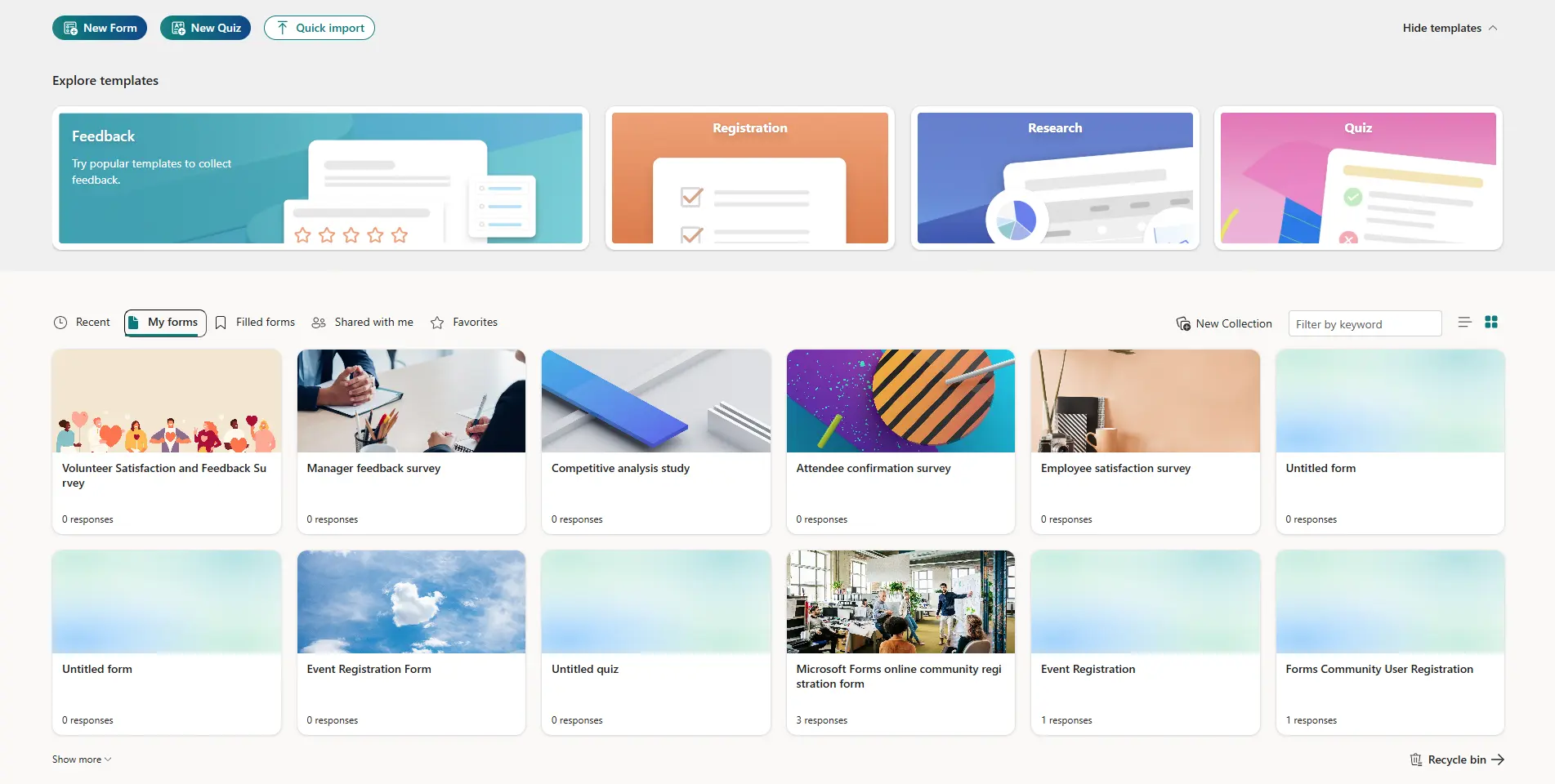
Microsoft Forms – what is it and when does it make sense for your company?
Microsoft Forms is a simple online tool for creating forms, surveys and short questionnaires, available in the ecosystem Microsoft 365. It works in your browser, requires no installation, and allows you to create a form in minutes that collects responses in one organized place.
In the corporate context, Microsoft Forms works best where efficiency matters. speed, simplicity and consistency, not extensive process logic. It's a good tool for collecting reports, opinions, registrations, and basic operational data – without the need to implement additional systems.
Forms makes sense for your company when:
• you want to replace collecting information via emails or Excel files with one online form,
• you already work in Microsoft 365 and want a tool that is included in the package,
• the form should be legible and easy to use, also for non-technical users,
• responses should be sent to one place and be ready for further analysis or export.
It is not a solution for building complex workflows or multi-stage reporting systems. Microsoft Forms is more of a light entry point – collects data in an orderly manner and integrates well with other Microsoft 365 tools, which proves to be completely sufficient in many companies.
What Microsoft Forms can do – features that are really useful in SMEs
In practice Microsoft Forms offers exactly what small and medium-sized businesses need most often – without an overabundance of options that complicate daily work. functions They focus on quick data collection and their simple further use.
The most useful features are:
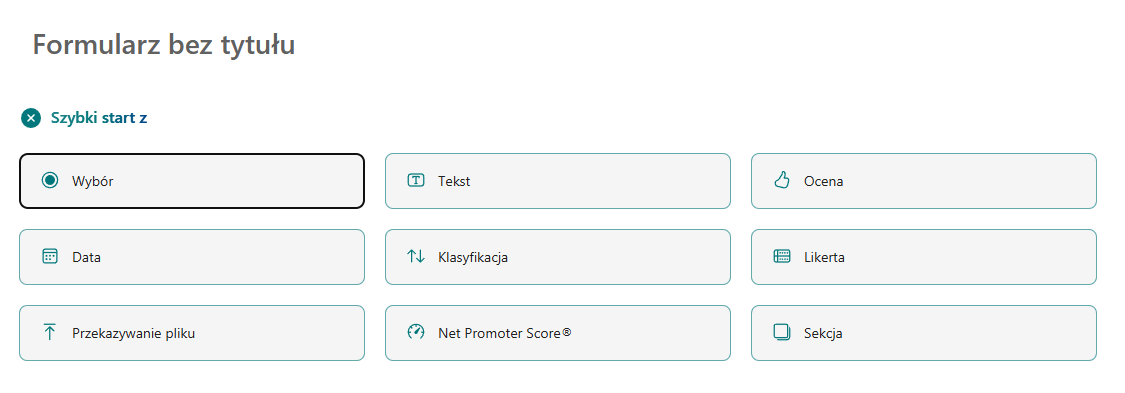
• Different types of questions – selection of one or more answers, text fields, rating scales, dates, as well as mandatory responses and basic data validation.
• Logical form sections – the ability to direct the user to subsequent questions depending on the answer, which allows you to avoid long and unreadable surveys.
• Form access control – the form may be available only to company employees or also to external people, e.g. clients or contractors.
• Real-time response preview – results are visible immediately after submission, with simple graphs and statistics.
• Data export to Excel – with one click you can transfer the answers to Microsoft Excel, which facilitates further analysis or archiving.
• Integration with other Microsoft 365 tools – forms work well with Microsoft Teams and Power Automate, so responses can automatically trigger notifications or simple processes.
These features make Microsoft Forms a tool for "everyday tasks." It doesn't replace complex forms or workflow systems, but in many cases, it allows for quick, streamlined information collection—at no additional cost or without implementing another system.
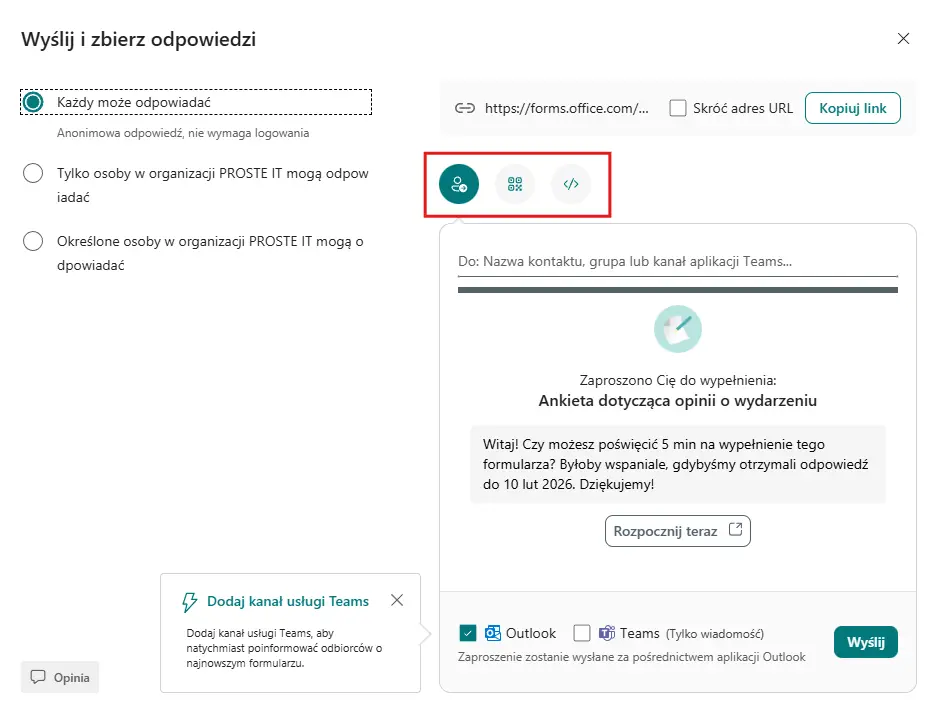
How to Share a Form and Collect Responses – Practice Without Magic
One of the biggest advantages Microsoft Forms is a simple way to share forms. Without additional configuration, you can adjust the form of publication to who will use it and in what context.
The most commonly used methods are:
• Link to the form – the simplest and most popular option. You can send the link via email, share it in a messenger, or paste it into internal documentation.
• Embedding a form on a website – the form works directly on the website, e.g. as a request, registration form or post-service survey.
• QR code – useful during training, events, at reception or service points where the user fills out a form on the phone.
• Internal Sharing – forms can be easily published in Microsoft Teams, which works well when collecting data from employees.
Forms also allows you to clearly define, who can respond to the form – exclusively for users within the organization, or also for people from outside the company. This means the same tool can be used for both internal processes and for contacts with customers and partners.
All responses are automatically delivered to a single location, eliminating manual data collection. This simple approach makes Microsoft Forms a great choice as a quick and convenient entry point for further information processing.
Microsoft Forms Applications in the Company
In companies, Microsoft Forms is most often used for simple, repetitive tasks that were previously handled via email or spreadsheets. The following examples demonstrate practical applications that prove useful in the daily work of SMEs.
The most common and useful scenarios are:
• Internal reporting form – e.g. IT requests, hardware needs or technical problems, with a clearly defined scope of information and priority.
• Registration for training and meetings – list of participants, confirmation of attendance, basic organizational information in one place.
• Survey after the service – a short form of collecting customer feedback that allows you to quickly assess the quality of cooperation.
• Collecting demand within the team – requests for access to systems, licenses, tools or resources, without exchanging dozens of emails.
• Initial recruitment form – pre-selection of candidates without extensive ATS systems, especially in smaller recruitments.
• Internal feedback – quick surveys among employees after a project, training or organizational change.
In all these cases Microsoft Forms It serves as a simple tool for organizing information. It doesn't replace CRM or helpdesk systems, but it allows for clear data collection that can then be analyzed, forwarded, or automated within Microsoft 365.
Costs and licenses – is Microsoft Forms free and what is required for your company?
For most companies, the issue of cost Microsoft Forms is very simple – a tool does not require a separate license, if you are already using Microsoft 365.
Microsoft Forms is available in standard Microsoft 365 business plans (including Business Basic, Business Standard, Business Premium, and Enterprise plans). This means that if your company uses Exchange Online, Teams, or SharePoint, Forms is already included and available at no additional cost.
However, it is worth knowing a few important differences:
• Microsoft 365 business account – allows you to create forms within your organization, control access to responses, and facilitate convenient team collaboration.
• Microsoft private account – allows you to use Forms for free, but without functions that are important from the company’s point of view (organizational management, data consistency).
• There is no "premium" version of Forms – there is no separate, more expensive version of the tool; functional extensions are implemented through integration, e.g. with Power Automate.
From the perspective of SMEs, Microsoft Forms is a low-cost or even "cost-free" solution, provided the company already operates in the Microsoft 365 ecosystem. The key is the conscious use of the tool rather than the selection of a licensing plan.
Alternatives to Microsoft Forms
Microsoft Forms It works well for simple, everyday applications, but it's not always the best choice. Depending on your company's needs, it's worth knowing some popular alternatives and their typical uses.
The most commonly considered options are:
• Google Forms – a good choice for companies working in the Google Workspace ecosystem. Easy to use, similar in philosophy to Forms, but without tight integration with Microsoft 365.
• Typeform – focused on aesthetics and user experience. Suitable for marketing and opinion research, where form appearance is crucial.
• SurveyMonkey – strong in extensive surveys and statistical analyses, more often chosen for research than for everyday operational forms.
• Jotform – offers many integrations and add-ons, useful where the form is to be part of a larger process.
• LimeSurvey – an open source solution, often chosen by organizations that want to host data themselves and have greater technical control.
In practice, the choice comes down to a simple question:
if you need a fast and consistent form in the Microsoft 365 environment, Forms will suffice. When a form is a key element of sales, marketing, or advanced research, alternatives offer greater capabilities, at the cost of greater complexity and price.
Frequently asked questions
Yes. In the form settings, you can decide whether responses can be submitted only by your organization's users or also by external people, such as customers or partners. This allows you to use a single tool both internally and externally.
NO. Microsoft Forms is part of Microsoft 365 for business plans, so if your organization already uses this package, Forms is available at no additional cost.
Yes. The form can be shared via a simple link, sent via email, or embedded directly on a website as a submission form or survey.
Yes. All responses can be exported to an Excel file at any time, making it easier to analyze, archive, or share data with others within the company.
Yes. Microsoft Forms allows you to convert questions from Word and PDF documents, which is especially useful if the form previously existed in paper or file format.
Not to the full extent. Forms is well-suited for collecting inbound tickets, but it won't replace helpdesk or workflow systems. It's best considered a simple starting point that can later be integrated with other Microsoft 365 tools.
Microsoft Forms is a simple and practical tool for collecting information within a company – without additional costs, complicated implementations, or lengthy learning curves. It's best suited for applications, registrations, and feedback that require quick organization, rather than the development of complex form systems.
If your company uses Microsoft 365, Forms is a natural complement to your everyday tools and is often sufficient for most basic use cases. When you need more control, extensive logic, or advanced analytics, it's worth considering alternatives—but in many cases, it's the simplicity of Microsoft Forms that proves to be its greatest advantage.