If you're considering implementing Ubiquiti UniFi in your business, it's likely not because you "need Wi-Fi." You already have the network. It works—at least on paper. The question is more like: whether it works stably, predictably and in such a way that you don't have to deal with it more often than necessary.
UniFi For years, it has emerged in conversations about corporate networks as a golden mean between "home" solutions and expensive enterprise-class systems. Some praise the central management, lack of traditional licensing, and the aesthetics of the ecosystem. Others point to limitations, specific manufacturer philosophies, and pitfalls that only become apparent after implementation. And the truth—as usual—lies somewhere in between.
This article is not meant to convince you of anything. This is neither a sales material nor a beginner's guide. This is a reliable, technically honest look at Ubiquiti devices in the real world of business: how they work, where they make sense, where they can disappoint, how much they actually cost, and what decisions are worth considering before you buy your first devices.
If you're wondering if UniFi is the right solution for your business—or want to make sure you're choosing it for the right reasons— you are in the right place.

UniFi as a network platform – where the hardware ends and the system begins
At first glance, UniFi is often perceived as simply "nice networking equipment"—access points, switches, gateways, all in one style and from one manufacturer. And indeed, these are physical devices that you mount in a rack, on the ceiling, or on a wall. The problem is that such a view does not reflect the essence of this solution.
UniFi is not a single device, or even a set of devices. It's a platform for building and managing a company network, in which the hardware is just one element of a larger whole. The management layer plays a key role here – a common system that connects all network elements into a single, logical entity.
In practice, this means that the UniFi access point, switch or gateway are not configured as separate entities. Their behavior, security policies, VLANs, access rules, and updates are defined centrally, with devices merely "enforcing" what has been planned in the system. This is a fundamental difference compared to the classic, point-based configurations known from simpler solutions.
At the heart of this approach is the UniFi controller – an application responsible for configuring, monitoring, and maintaining the entire network. It can run on a dedicated device, a network gateway, a dedicated server, or in the cloud. Regardless of its form, it always serves the same role: provides one, coherent perspective on the entire infrastructure.
This is why this solution often works well for companies that start with a few devices but know the network will expand. Adding additional access points, network segments, or locations doesn't mean a change in the operating philosophy—the system remains the same, and scale grows in a controlled manner.
It is also worth stating clearly: UniFi is closed ecosystem of one manufacturer – Ubiquiti. For some, this will be a huge advantage, simplifying design and maintenance. For others, it will be a limitation, as it means forgoing the need to mix solutions from different brands. This decision has consequences, which we will return to later in this article.
At this stage, one thing is most important: if you think of UniFi solely as „hardware,” it’s very easy to make design mistakes. This solution must be treated as a system, which, if well designed, can operate stably for years – while a poorly planned one will be frustrating regardless of the number of access points on the ceiling.
How the UniFi architecture works – what the solution consists of and how it is managed
Imagine your company network isn't just a "router + Wi-Fi," but a small infrastructure that's supposed to work predictably every Monday at 9:00 a.m.—when everyone's online. The most important thing about UniFi is that hardware (devices) and management (system) They're designed as a single unit. This means you don't have to configure everything piecemeal, but rather build a coherent system that's easy to maintain and expand.
What elements does UniFi consist of in the company?
In a typical enterprise UniFi setup, there are several roles. You don't always need all of them, but it's helpful to understand what does what:
• Gateway (network gateway) – a device at the interface between the internet and your network. Typically performs routing, NAT, VPN, and basic security.
• Switch (switch) – connects LAN cabling and distributes the network throughout the office. The managed version supports VLANs and traffic prioritization.
• PoE Switch – a type of switch that additionally powers devices via a network cable (e.g. access points, cameras).
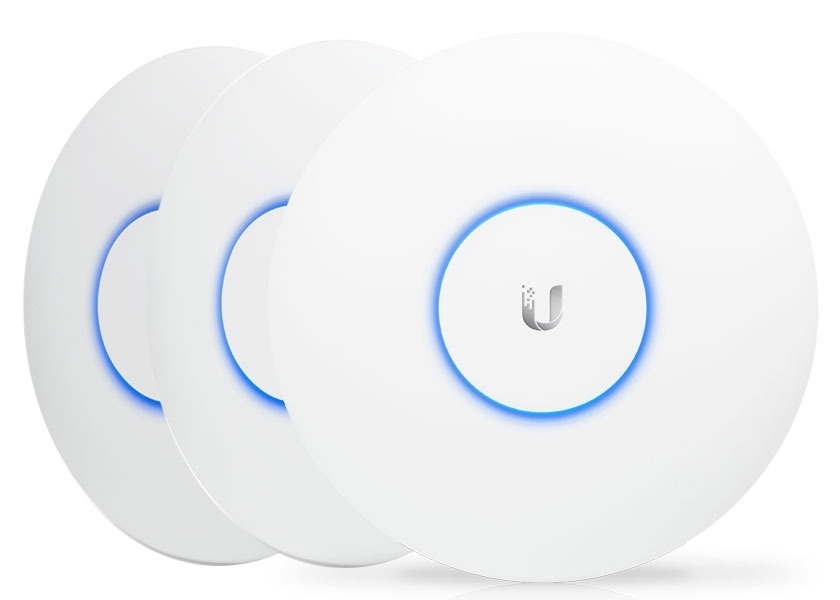
• Access Point (AP) – Wi-Fi access point. It is responsible for the range, performance, and stability of the wireless network.
• UniFi Controller (UniFi Network) – an application for central network management. Here you define configurations and view infrastructure status.
• Network customers – laptops, phones, printers, terminals, IoT. With UniFi, you can easily attach access policies to them.
• Network segments (VLAN) – logical „sub-networks” within one infrastructure, e.g. office, guests, technical devices.
• Additional services (optional) – e.g. monitoring (UniFi Protect) or access control (UniFi Access), if you are building one ecosystem.
Please note one thing: in UniFi, hardware is important, but equally important is, how do you bind it with rules. Two identical offices with the same hardware can operate dramatically differently if one has sensible segmentation and policies and the other is "all on one network.".
What exactly does the controller do and why it's crucial
The UniFi Controller isn't just "another panel to click." It's a central location where:
• you set Wi-Fi network (SSID, passwords, standards, roaming),
• you define VLANs and assign them to switch ports and Wi-Fi networks,
• you implement updates and maintain configuration consistency,
• you monitor the status of devices, load, disruptions and errors,
• you get alerts when something starts to break or is unstable,
• you can restore your configuration after a hardware failure.
This approach works a bit like "policies" in a company: instead of instructing each employee individually, you establish rules and enforce them in one place. This prevents the network from becoming chaotic as new devices, new needs, and new people "make a difference" emerge.
Where the controller can operate, i.e. practical management options
This is one of the first choices that impacts network maintenance. You'll most likely encounter four approaches:
• Controller built into the UniFi Gateway (Cloud Gateway) – a convenient all-in-one solution. Good for companies that want simplicity and a minimum of components.
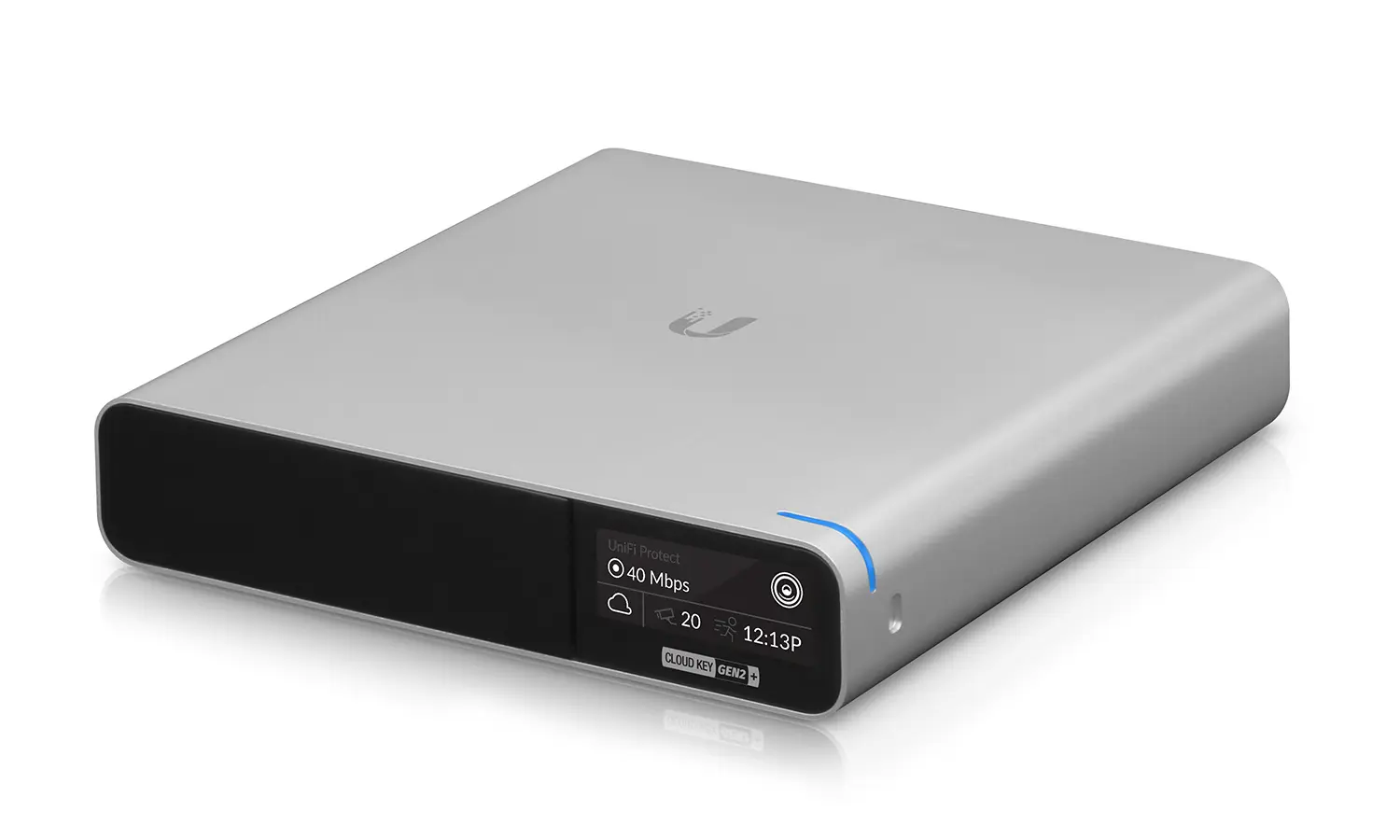
• Separate controller device (Cloud Key) – makes sense when you want to separate management from the gateway or have a specific architecture.
• Controller on your own server (self-host) – good when you have an IT facility and want full control, backups, integration, and your own maintenance standards.
• Hosted Controller (Cloud Service) – when you do not want to maintain the infrastructure for a controller and count on „always available” management.
Each option works similarly for the user, but responsibilities differ. If the controller is "yours," you are responsible for updates and backups. If it's "hosted," you pay for the convenience and transfer some of the burden to the provider.
What does UniFi network management look like in practice?
Those familiar with UniFi "from the internet" often think it's just a matter of device adoption and that's it. In a company, it's more structured:
• Device adoption – you connect devices to the controller, which takes over their configuration.
• Definition of networks and segments – e.g. separate office, guests, technical equipment, accounting.
• Wi-Fi setup – SSID, security, roaming, bands, performance options.
• Switch port policies – VLAN assignment, PoE, traffic priorities, locks.
• Monitoring and alerts – you set what you are interested in: quality drops, offline, overloads.
• Standard of maintenance – update plan, configuration copies, testing changes before full implementation.
This is the difference between "I have Wi-Fi" and "I have a network that can be maintained." The manufacturer provides the tools, but the order must be derived from the design.
Two concepts worth understanding right away: VLAN and PoE
If you already have some experience, you probably know this. If not, here's a brief, theory-free explanation:
• VLAN This is the logical division of a single infrastructure into several independent networks. This prevents guests from seeing printers and IoT devices from accessing computers.
• PoE This powering devices via network cable. Instead of searching for a power outlet at each AP, you power it from a rack-mounted PoE switch.
In practice, VLAN and PoE are responsible for the 80% company's "peace of mind" in the network: order in access and fewer accidental installation problems.
What most often breaks UniFi implementations at the architectural stage
Most problems don't stem from UniFi being "bad," but from treating it like a simple set of boxes. Two common mistakes:
• Selection of equipment "on the spot", without thinking about the load and future expansion.
• Lack of segmentation and rules, i.e. one network for everything, and then surprise that "something" affects "something else".
If your company's network is going to be a component that's not thought about on a daily basis, architecture and configuration matter more than branding. We often step in at this stage – not to add devices, but to organize the whole thing so that it operates stably and is predictable to maintain.
Advantages and disadvantages of UniFi in companies
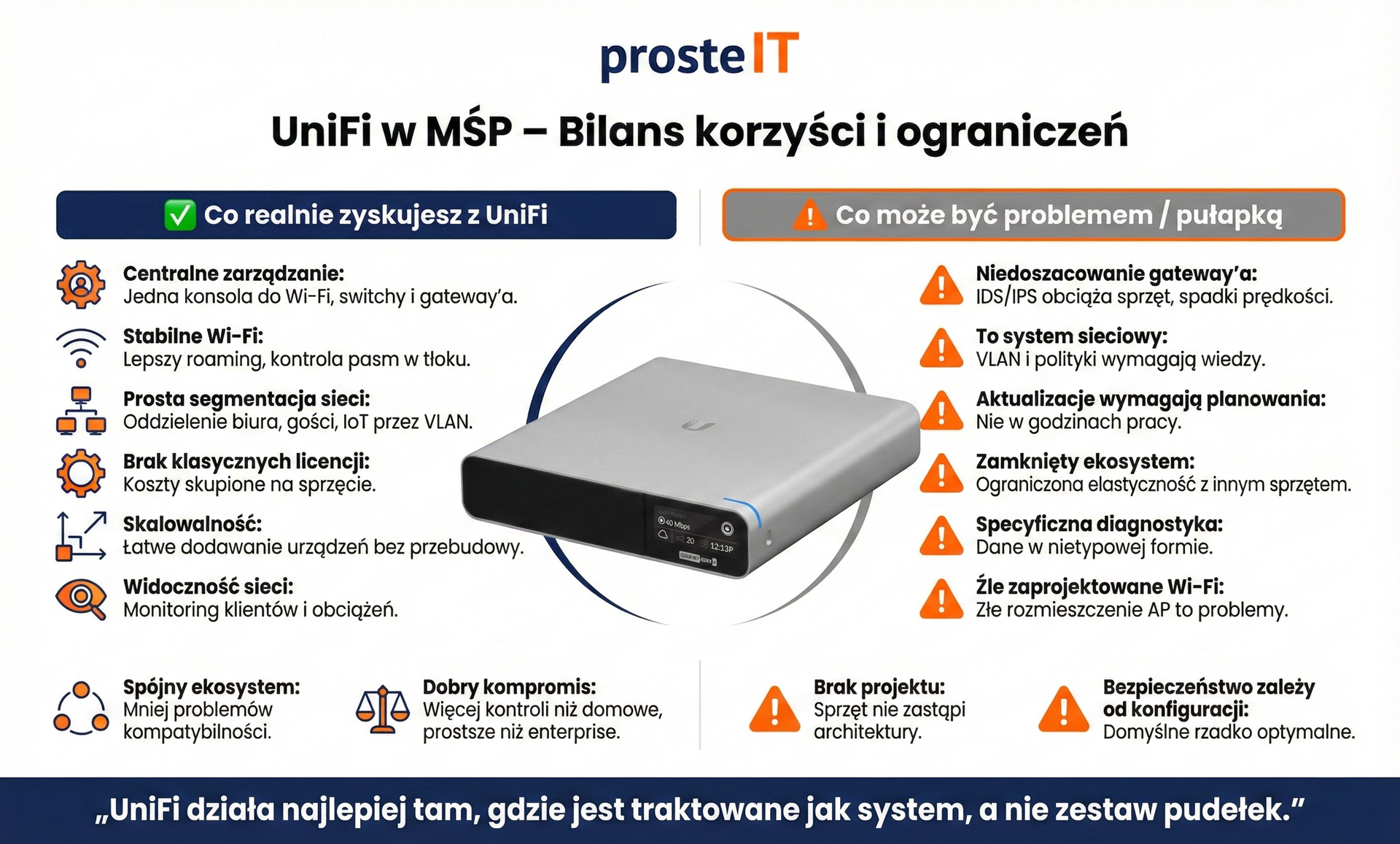
UniFi in SMEs – how to read the balance of benefits and limitations
This infographic shows one thing well: UniFi is not a binary solution„. It's a system that can provide a company with significant stability and order online, but only when carefully selected and implemented.
On the constraint side, it is clear that the biggest risk is not the hardware itself, but incorrect assumptions. Underestimating the gateway, lacking a design, updating too quickly, or treating it like a simple router lead to problems that are later perceived as a "flaw in the solution." In practice, these are consequences of a lack of planning and knowledge, not technological limitations.
On the other hand, the benefits are very specific and repeatable. Centralized management, stable Wi-Fi, simple network segmentation, and the absence of traditional licensing make UniFi a perfect fit for SMEs. It's a solution that organizes the network and provides predictability – both in daily operations and during infrastructure expansion.
The most important conclusion from this comparison is simple:
UniFi works best when it is treated as a system, not a collection of random devices.
If you approach it this way, the advantages clearly begin to outweigh the limitations. If not, even the best infographic won't save the implementation.
UniFi Costs – How Much Does It Really Cost and Why There Is No Single Price
UniFi costs are the easiest to misunderstand because the hardware is relatively affordable, yet a company network never ends with the purchase of devices. Therefore, instead of ready-made "variants," it's worth looking at this topic honestly – through the prism of the company's scale and real cost elements.
Looking only at the price of the same Ubiquiti equipment, we are talking about a level that many companies can achieve without an enterprise budget. Wi-Fi access points are usually several hundred zlotys per piece in the case of basic models and about 700–900 PLN for more efficient Wi-Fi 6/7 class units. PoE switches, which are indispensable in practice for sensible implementation, start from several to a dozen ports for about PLN 600–1,000, and in the case of larger rack models they very quickly enter the level several thousand zlotys.
Gateways, depending on their performance and security features, are usually from about 500 PLN to several thousand PLN. At this stage, it's often cost-effective – especially compared to traditional enterprise solutions – but that's still just the cost of the hardware, not the finished, operational network.
Hardware is just the starting point (CAPEX)
Looking solely at device prices, UniFi is indeed attractive. Access points, PoE switches, and gateways are reasonably priced compared to enterprise solutions. In practice, this means:
• small company (a dozen or so people, one office) should assume that the equipment itself it's an expense of around several thousand zlotys,
• medium-sized company (several dozen stations, more APs, larger PoE switch, more efficient gateway) – several thousand zlotys,
• larger environments or companies with high requirements (VPN, IDS/IPS, several segments, performance reserve) – from several thousand/several dozen thousand zlotys upwards.
These are indicative values, showing scale – not pricing. The differences can be very large depending on the number of access points, PoE, Wi-Fi standard, and required gateway performance.
The Most Overlooked Cost: Design and Implementation
This is where the element that most often determines whether UniFi will work well or "so-so".
Network design, equipment selection and correct implementation This is a real cost that is not visible in the manufacturer's price list – and which is often more important than the price of access points.
Without project:
• the gateway is sometimes selected too weakly,
• Wi-Fi is poorly distributed,
• VLANs are either "fast" or not at all,
• security is based on default settings.
In practice, it is this stage that decides whether the money spent is an investment or just the purchase of equipment.
Operating Expenses (OPEX) – low but not zero
UniFi doesn't require traditional per-device licensing, which is a significant advantage. However, this doesn't mean network maintenance is free. OPEX should include:
• administration (internal or external),
• updates and monitoring,
• possible hosting of the controller,
• response to failures and changes in the network.
These costs are usually lower than in enterprise solutions, but they still exist and are worth taking into account from the beginning.
A cost proposal that really matters
Ubiquiti equipment allows you to build a sensible company network without the costs typical of an enterprise, but is not a "cheap and thoughtless" solution„. The price of the equipment is only a part of the whole. The final cost always depends on:
• company scale,
• project quality,
• expectations regarding security and stability,
• how to maintain the network over time.
Therefore, any sensible UniFi valuation is – and should be – individual. And the difference between "several thousand" and "tens of thousands" is very rarely due to the logo on the device, but much more often to design decisions.

When UniFi makes sense and when it's better not to choose it
UniFi is great when it fits your network management style: you want order, central control, and predictable expansion. It becomes problematic when you try to make it something it's not, or when your requirements lean toward very specific features and processes. Below are simple decision criteria—no marketing required.
When UniFi Makes Sense
You have a growing company and the network is no longer "simple".
As additional rooms, devices, printers, VoIP, monitoring, or IoT are added, UniFi provides the control and order that is lacking in the „router + amplifiers” approach.
You want central management and uniform configuration.
If you value a single pane of glass, consistent policies, monitoring, and rapid implementation of changes, UniFi is the solution. This is especially important when the network needs to operate stably despite staff turnover and office changes.
You need network segmentation, but without building a complex infrastructure.
VLANs for guests, offices, technical devices, and accounting – in SMEs, this is often the biggest qualitative leap in security and order. UniFi allows for a sensible and relatively simple implementation.
You have realistic expectations of security.
If you understand that a "secure network" involves design, configuration, and maintenance (not just purchase), UniFi will work well. It provides the tools but requires informed decisions.
You want predictable hardware costs and easy expansion.
UniFi thrives in the "start smart, then add more" scenario. With proper design, expansion is repeatable and less risky.
When is it better not to choose it?
You have very specific firewall/routing or compliance requirements.
If your company has strict audit requirements, unique rules, specific integrations, or „must-have” features from specific platforms, UniFi may prove too limiting or require workarounds.
You don't have the resources to maintain it and you don't want to outsource.
UniFi isn't a "set it and forget it" system. If no one keeps track of updates, configuration backups, and basic hygiene, problems will arise sooner or later—regardless of the quality of the hardware.
You plan to mix multiple brands and want one consistent console.
UniFi works best as an ecosystem. If your strategy is to "take the best components from different vendors," you risk missing out on its greatest advantage: consistent management.
You treat it as the cheapest way to get Wi-Fi.
If the key criterion is minimal "here and now" cost, and design and segmentation are neglected, even well-chosen devices won't provide the stability you expect. In such a scenario, it's better to opt for a simpler solution and avoid imitating corporate infrastructure.
Motion for a decision
UniFi makes sense when you want to build a network that can be maintained and expanded without chaos—and you're willing to treat it like a system. It's best not to choose it if your requirements are highly non-standard or if the network will operate "unattended," as this won't allow UniFi's greatest benefits to manifest.
Frequently asked questions
No. This solution works best for companies that need a stable, structured network and are ready to approach it systematically. In very simple environments, it may be overkill, and with extremely specific security requirements, it may be insufficient without additional solutions.
Yes, provided it's configured correctly. UniFi offers network segmentation, firewall, IDS/IPS, and VPN, but safety is a result of design and policies, not the default settings. A poorly configured UniFi network will be no more secure than any other solution.
Basic UniFi network management does not require traditional per-device licenses. Optionally, controller hosting or additional services can be used, but the network system itself operates without a mandatory subscription.
Yes, as long as the hardware is properly matched to the scale and load. UniFi scales well in SMBs, but the right gateway, number of access points, and segmentation are crucial. Problems arise primarily when performance is underestimated.
Yes. We help you choose a UniFi architecture that meets your company's real needs – from analyzing the number of users and devices, through selecting a gateway, PoE switches, and access points, to configuring VLANs, security, and Wi-Fi. Our goal isn't to "sell boxes," but to create a network that's stable and easy to maintain.
We implement and configure UniFi stationary and remotely. We serve companies in Warsaw and the surrounding area, but we also carry out projects, implement, and configure systems throughout the Masovia region. Depending on the scope of work, some implementations can be completed remotely, while others require on-site presence.
UniFi is a mature networking solution that works best when treated as system, not a collection of random devices. It provides centralized management, stable Wi-Fi, sensible segmentation, and predictable expansion, but in return requires design, proper hardware selection, and informed maintenance. This isn't a "one-size-fits-all" solution—which is precisely why it can perform very well under the right conditions.
If you are considering implementing UniFi in your company and want to ensure that the architecture, costs and configuration will be tailored to your real needs – we will help you sort it out step by step, without unnecessary complications and without wrong decisions.