Remote work can be a huge advantage in a company – greater flexibility, access to specialists, and lower organizational costs. At the same time, it's precisely in this model that IT security is most often breached, often completely unnoticed. A laptop used at the kitchen table, quick logins without additional security, and company files kept private "for a while" are commonplace in many SMEs.
The problem is that remote work doesn't reduce a company's responsibility for data, systems, and business continuity. Quite the opposite – the work environment is changing, but the employer's obligations remain the same, and sometimes even greater. Added to this are the requirements of the GDPR, the provisions of the Labor Code, rising customer expectations, and increasingly real cyber threats.
This article was created as a practical compendium for SME owners and management who want to use remote work consciously and safely. We will present real risks, good IT practices, formal requirements, and a proven approach to implementations that don't require a "corporate" budget or a team of specialists. All this to safe remote work in the company was a support for business, not a source of unnecessary problems.

What do the law and requirements actually change in remote work?
Remote work in the company is no longer a "contractual" or ad hoc solution. April 2023. has been permanently regulated in Labor Code, which means specific obligations on the employer's side. In addition, there are requirements arising from GDPR and growing expectations in terms of cybersecurity from customers, business partners and public institutions.
In practice, this means one thing: remote work must be planned, described and secured – both formally and technically.
Remote work must have clear organizational rules
The fundamental change is the need to formally define remote work policies. This can be achieved through:
• agreements with trade unions,
• remote work regulations (if there is no union or no agreement has been concluded),
• individual agreement with the employee,
• employer's instructions – in certain cases.
From the point of view IT security and employer responsibility, it is crucial that these policies are not limited to HR records. They should also cover issues of system access, data protection, equipment use, and incident response policies.
Another significant change is that the location of remote work must be agreed upon with the employer on a case-by-case basis. This doesn't mean there's complete freedom – remote work can only be performed in a location approved by the company that meets certain conditions.
Employee requests and real constraints on the company's side
The regulations provide for groups of employees whose request for remote work should, in principle, be granted, including:
• pregnant employees,
• parents of children up to four years of age,
• persons caring for a family member with a disability certificate.
Refusal is only possible if remote work is not possible due to: organization or nature of work, and the reason must be communicated to the employee in a justifiable manner.
From a company's perspective, this means defining in advance which positions and roles can and cannot work remotely, as well as what technical requirements must be met. The lack of such rules often leads to inconsistent decisions and internal conflicts.
Occasional remote work is a different mode, with different responsibilities
Labor Code also introduces the concept of occasional remote work, in the dimension up to 24 days in a calendar year. This mode differs significantly from permanent or hybrid remote work.
In the case of occasional work, the employer is not obligated to provide work tools or cover costs, but responsibility for health and safety remains with the employer. In practice, many companies fail to distinguish between these modes, leading to incorrect organizational and formal assumptions.
If remote work is performed regularly, even for several days a month, in most cases it should not be treated as occasional.
Equipment and costs cannot be passed on to the employee
In the remote work model, the employer is obliged to:
• provide materials and work tools or cover the costs of their use,
• cover the costs electricity and telecommunications services necessary to perform work,
• provide service, maintenance and Technical support,
• train an employee from the rules safe work.
It is permissible to use private equipment employee, but only with the consent of both parties and subject to payment of an equivalent or lump sum. What's particularly important from an IT perspective is that a private device must meet security requirements. Failure to do so poses both technical and legal risks.
Health and safety regulations for remote work still apply
Remote work does not relieve employers of their occupational health and safety obligations. Only the method by which they are implemented changes. The employer should:
• conduct an occupational risk assessment for remote work,
• prepare and provide the employee with occupational health and safety information regarding remote work,
• collect employee statements confirming knowledge of the rules and ensuring appropriate conditions in the workplace.
There are also types of work that they can't be performed remotely, including work that is particularly dangerous or requires specific environmental conditions.
Remote work control – allowed but limited
Employer has the right to control performing remote work, compliance health and safety rules and the protection of information, including personal data. However, the inspection must be conducted in a manner that does not violate the privacy of the employee and their household members and does not impede the use of the apartment.
This means that the principles of control should be clearly described in the regulations or agreement, and actions such as unjustified monitoring or interference in the private sphere may lead to disputes and legal consequences.
GDPR and remote work – the same responsibilities, greater risk
GDPR It doesn't introduce separate regulations for remote work, but requires the use of safeguards appropriate to the risk. Working outside the office naturally increases this risk – with the emergence of mobile devices, home networks, data storage devices, and working in a private environment.
Office for Personal Data Protection It clearly indicates the need for data encryption, secure connections, system updates, and clear rules for the use of private devices, among other things. In practice, the lack of risk analysis and control over data stored on private devices has already led to recognized data breaches.
Regulatory and market pressures on cybersecurity
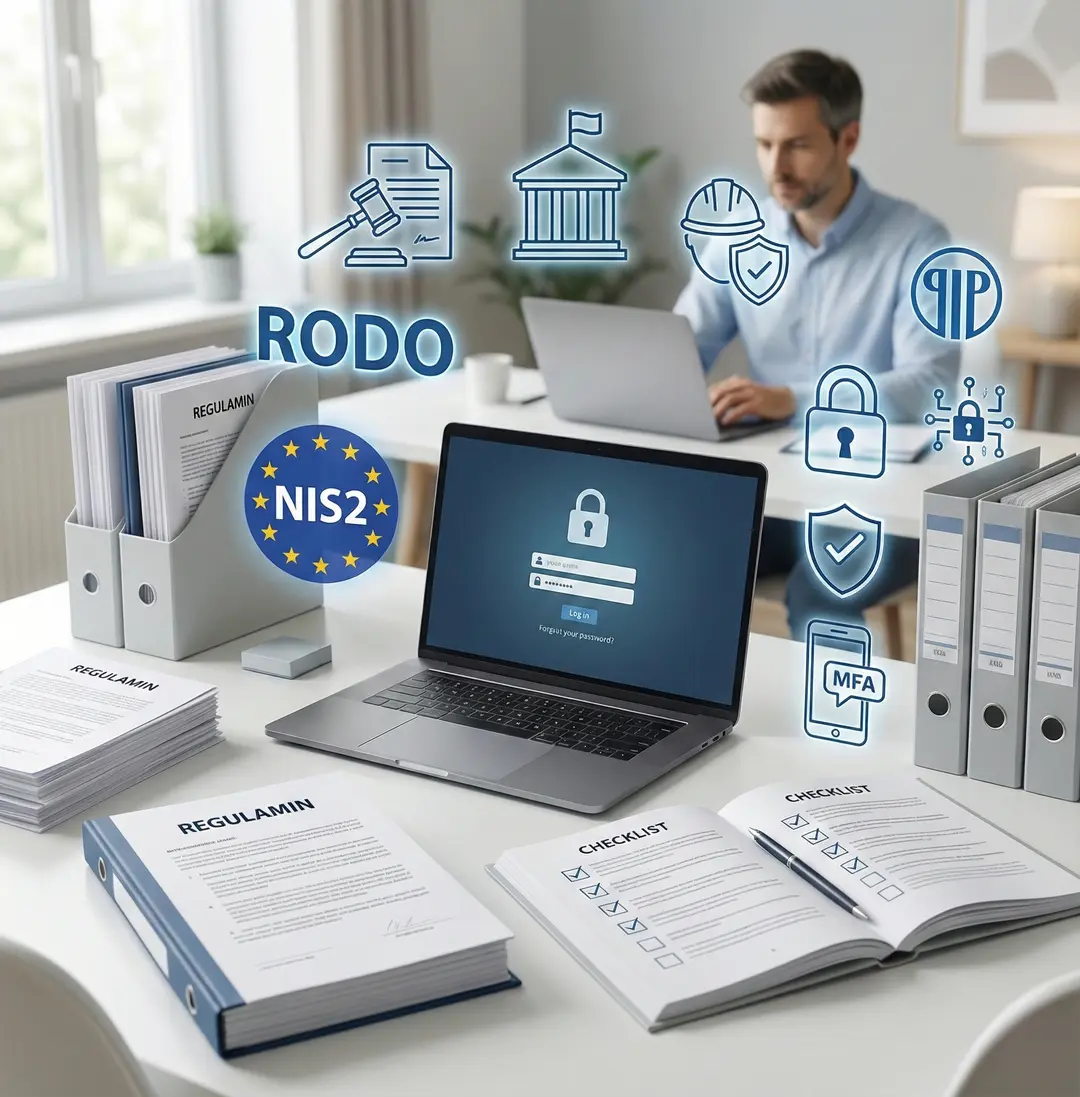
Even if the company is not directly subject to sectoral regulations, such as NIS2 directive, is increasingly faced with security requirements imposed by customers and business partners. Questions about multi-factor authentication, laptop encryption, backups, and incident response procedures are no longer the exception.
This is a sign that remote work security is no longer just an internal issue. It is increasingly becoming a part of business credibility and a condition for cooperation.
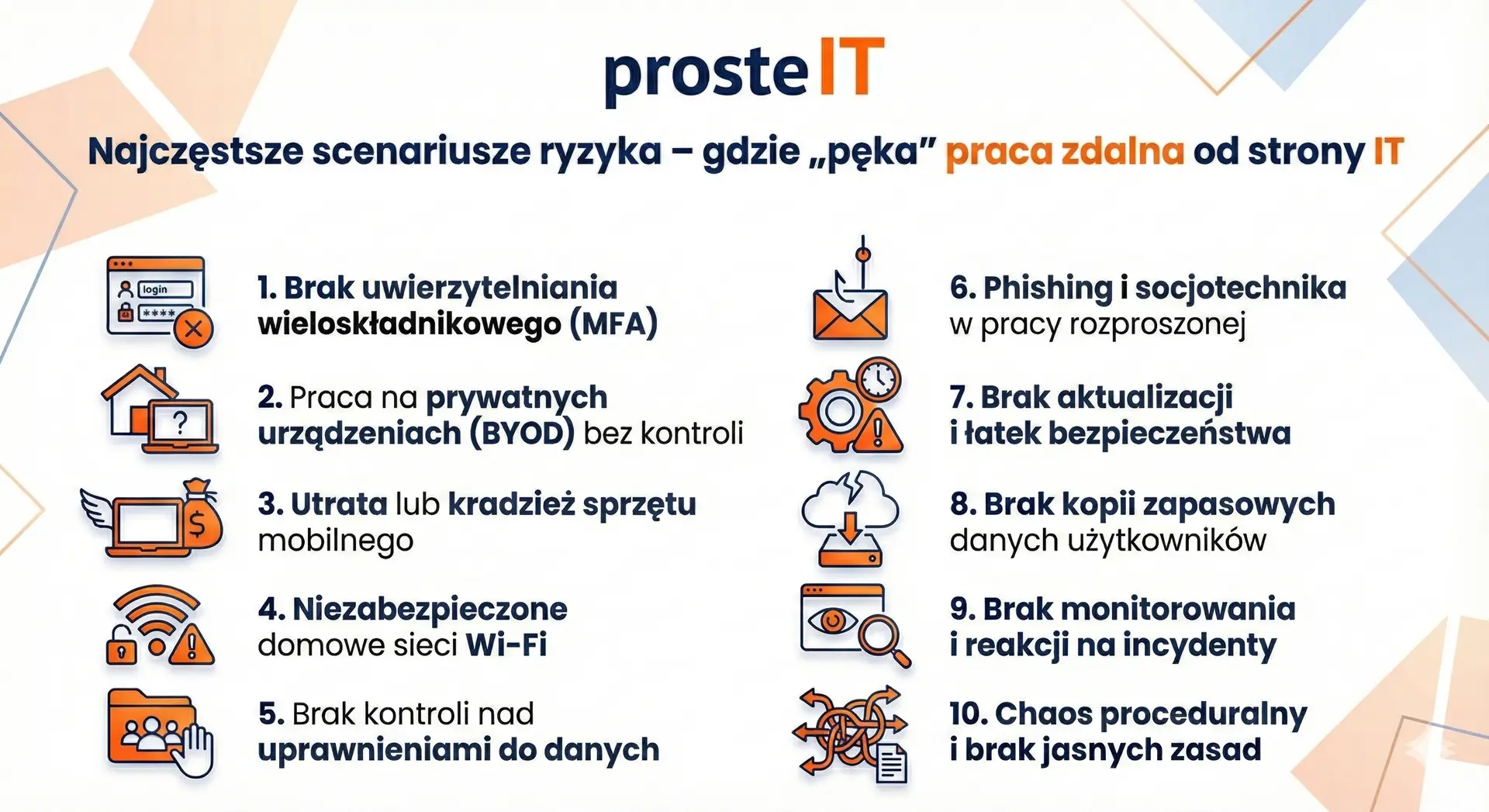
The most common risk scenarios – where remote work breaks down from the IT perspective
Most security incidents in remote work aren't the result of advanced technical attacks. Far more often, they stem from minor omissions, oversimplifications, or a lack of clear policies. Below, we discuss the most common risk scenarios we encounter in companies working remotely or in a hybrid environment.
1. No multi-factor authentication (MFA)
Logging in solely with a password is one of the weakest security vulnerabilities today. Passwords are often stolen in phishing attacks, repeated between services, or simply too simple. Without MFA, a single compromised password can grant access to email, files, and company systems.
2. Working on private devices without supervision (BYOD)
Private laptop or a phone without disk encryption, updates, and antivirus protection is a real threat. Companies often don't know what data is stored on it or what will happen to it after the employee's employment ends.
3. Loss or theft of mobile equipment
Laptops used outside the office are much more vulnerable to loss or theft. Without disk encryption and the ability to remotely lock or delete data, such an incident could mean a breach of information security and personal data.
4. Unsecured home Wi-Fi networks
Home routers often run on outdated software, with default passwords, or without proper encryption. Working remotely on such a network exposes company data to eavesdropping or attacks from the same network.
5. Lack of control over data permissions
Excessive access to files and systems is one of the most common problems. Employees have "backup" access, and privileges are not revoked upon changing roles or leaving the company. In remote work, the consequences of such an error are more difficult to notice.
6. Phishing and social engineering in distributed work
Remote employees rely more on email and instant messaging. This facilitates phishing attacks, fake invoices, and impersonations of managers or IT departments. A lack of training and response procedures significantly increases the risk of a successful attack.
7. Lack of updates and security patches
Devices operating outside the office often fall outside their regular update cycle. Unpatched operating systems and applications are a major attack vector, especially when employees connect to public or home networks.
8. No user data backups
Files stored locally on laptops or in private clouds aren't always covered by company backups. Hardware failure, accidental data deletion, or a ransomware attack can mean the irretrievable loss of important information.
9. Lack of monitoring and response to incidents
Many companies don't analyze login logs or unusual events. A compromised account can operate for weeks without detection, and only react when the damage is already apparent.
10. Procedural chaos and lack of clear rules
The most underestimated risk. The lack of written policies for remote work, device use, data sharing, and incident reporting means that each employee acts at their own discretion. Even good tools cannot compensate for the lack of consistent rules.
The common denominator in these scenarios isn't technology, but a lack of fundamental control and a coherent approach. In the following chapters, we'll show you which technical foundations really make a difference and how to implement them in a cost-effective and organizationally efficient manner.
Jargon-free technical foundations – identity, devices, access
When it comes to remote work security, many companies start with tools. This is a natural, but not entirely appropriate, approach. The foundation isn't applications or licenses, but control over who logs in, from what device and to what resources. If these three elements are in order, most risks are significantly reduced.
User identity – one account, clear rules, additional verification
Identity in IT is nothing more than confirming that the person logging into the system is actually who they claim to be. This is absolutely crucial in remote work, as the employee isn't within the secure office network.
The foundation should be a single, central user account for all company services. Logging in with different accounts for email, files, and financial systems complicates control and encourages errors. Equally important is the use of multi-factor authentication (MFA), which provides additional login confirmation, such as via a phone app or a one-time code.
In practice MFA significantly reduces the effectiveness phishing. Even if a password is compromised, an attacker won't gain access without the second factor. This is one of the cheapest and most effective security measures for remote work.
Devices – corporate or private, but always under control
The second pillar is the devices users work on. Laptops, phones, or tablets become the physical medium for accessing corporate data. If a company lacks control over these devices, it loses real control over security.
The most secure approach is to use company-owned devices designed according to a uniform standard. This includes disk encryption, automatic screen locking, system updates, and the ability to remotely lock or erase data in the event of hardware loss.
If personal devices are permitted, clear conditions must be established. The device must meet minimum security requirements, and corporate data must be logically separated from personal data. Without this, working on personal devices becomes one of the weakest points of the entire remote model.
Access to resources – not everyone needs to see everything
The third element is access to systems and data. The principle of minimum privilege becomes particularly important in remote work. This means that employees only have access to resources necessary to perform their duties.
A common mistake is to grant broad permissions "just in case." In a distributed model, this approach increases the potential damage in the event of account takeover or user error.
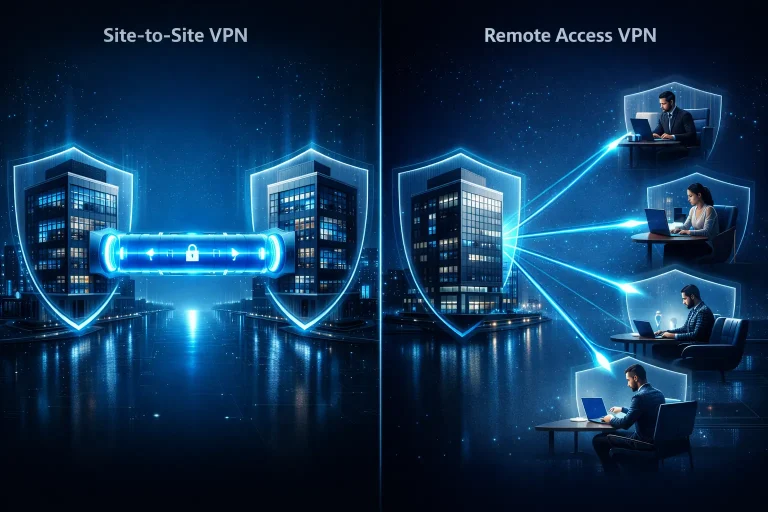
Access to resources can be achieved in various ways. Traditional solutions rely on VPN connections, which create a secure tunnel between the device and the corporate network. An increasingly common approach is one in which each access is verified separately, regardless of the user's location. In both cases, it is crucial that access is controlled, monitored, and quickly revoked.
Consistency instead of technology overload
The most common technical mistake in remote work isn't a lack of tools, but rather an overabundance and lack of consistency. Multiple login systems, different policies across devices, and a lack of central management quickly lead to chaos.
Well-designed technical foundations are like solid locks on doors. They're unobtrusive, yet they effectively mitigate risk. In the following chapters, we'll show you how to integrate these foundations with your team's processes and daily work, so that security isn't a hindrance, but a support for remote work.
Processes and people – remote work security in practice
Even the best-designed technical security measures will fail if they are not supported by clear processes and informed human action. In remote work, it is daily habits, communication patterns, and reactions to unusual situations that determine whether security works in practice or just on paper.
Clear rules from the first day of cooperation
Remote work security begins the moment an employee joins the company. New hires should know from the outset:
• With what tools can use,
• where they are stored company data,
• how to log in,
• what you can't to do with official information.
The lack of such an introduction leads to improvisation, which in a remote environment quickly turns into a risk. It's good practice to communicate a short set of security rules, along with access and equipment, rather than relying on the employee's "intuitive" behavior.
Granting and revoking access without chaos
One of the most common organizational problems is the lack of a consistent process for granting and revoking permissions. This area becomes even more sensitive in remote work, as employees don't hand over their equipment and physically lose access to the office.
The process should clearly define:
• what access is granted at the start,
• who approves them,
• what happens to access when changing positions,
• how and when they are collected after the end of cooperation.
Delays in access revocation are one of the most underestimated risks in a remote environment.
Working with documents and sharing data
In remote work, a significant portion of communication and collaboration relies on digital documents. A lack of rules for storing and sharing them leads to data circulating between private emails, messaging apps, and media.
In practice, it is worth clearly defining:
• where company documents are stored,
• how they can be shared,
• who can grant external access,
• how to deal with draft and archive versions.
These are simple rules that significantly reduce the risk of accidental data disclosure.
Training and building user awareness
Remote workers are more vulnerable to social engineering attacks because they primarily communicate via email and instant messaging. Short, regular security training and reminders of basic safety rules have a real impact on reducing the number of incidents.
Training doesn't have to be extensive or technical. It's enough to teach people how to recognize suspicious messages, verify unusual requests, and report concerns rather than act on their own.
Incident Response – Time and a Clear Path Matter
Incidents happen even in well-secured organizations. The difference lies in how quickly a company can respond. In remote work, it's especially important for employees to know what to do in the event of:
• loss or theft of equipment,
• suspicion of account takeover,
• receiving a suspicious message,
• accidental disclosure of data.
The lack of a procedure causes delays, and delays exacerbate the problem. A simple, step-by-step guide is often more effective than a lengthy document that no one reads.
Safety as an element of work culture
The best results come from treating safety as a part of everyday work culture, rather than as a set of prohibitions. When employees understand why certain rules exist and how they protect both the company and themselves, they are more likely to follow them.
When working remotely, security shouldn't slow down your team. Well-designed processes ensure that most decisions are made automatically, allowing employees to focus on their work without constantly wondering if they're doing the right thing.
Implementation Checklist – „Safe Remote Work” in 10–20 Days
Implementing secure remote work doesn't have to be a long or expensive project. For most SMEs, it can be reasonably accomplished within 10-20 business days, provided activities are planned and executed in the right order. The following checklist is based on implementation practice, not "corporate" models.
This is not a "wish" list, but the minimum that actually reduces the risk.
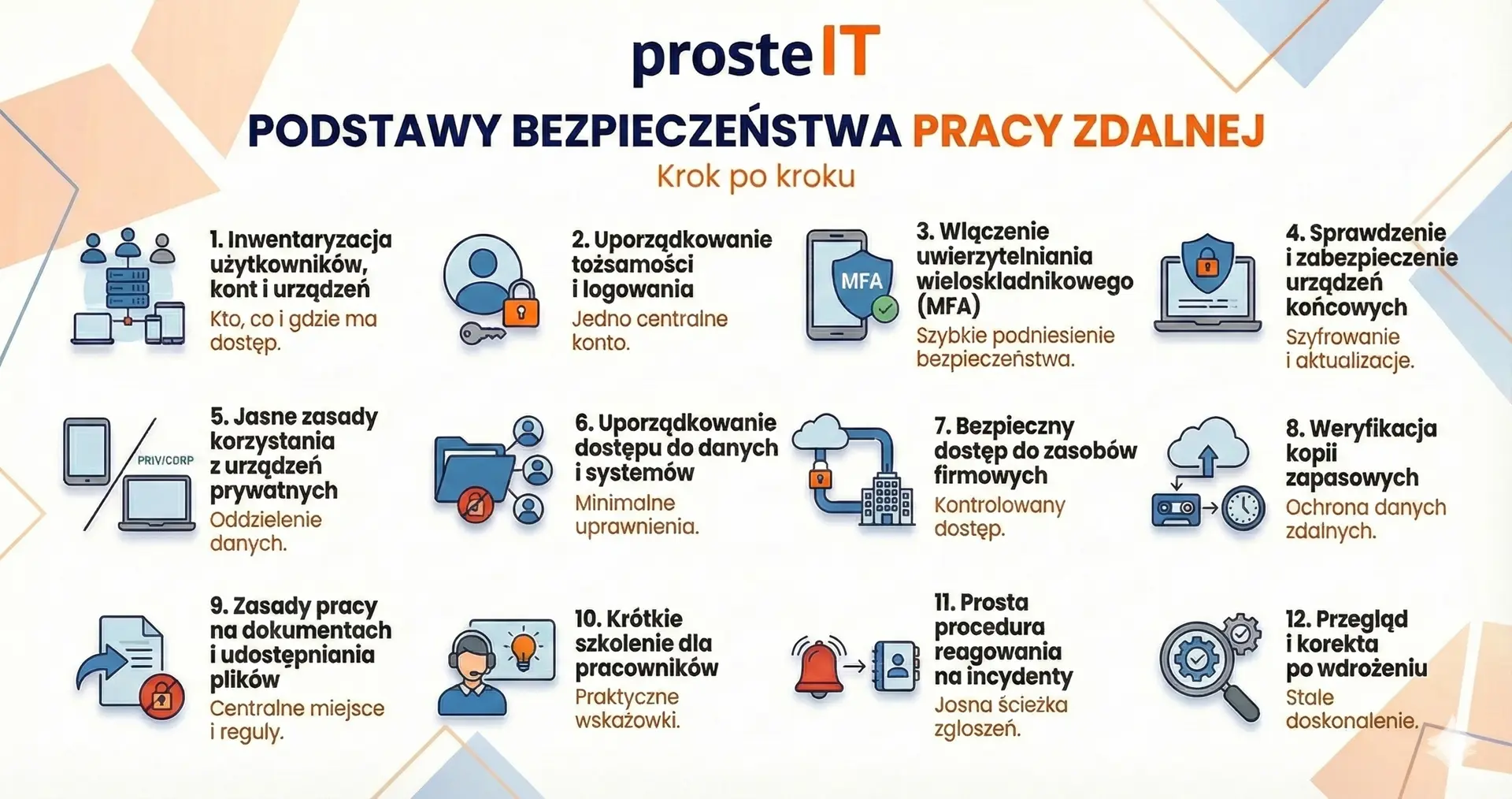
Safe remote work is not a "once and for all" state. It is a process that requires periodic inspections and adjustments to changes in the team and technology. At the same time, there's no need to implement everything at once or invest in complex systems.
If the basics are in place, most threats cease to be a real problem, and remote work can support business rather than hinder it. In the next chapter, we'll show how these actions translate into management decisions, costs, and real results for companies.
What does it look like in practice – a short case study and the real costs of remote work security
From a management perspective, the key question is usually not "if," but Is it worth it and what exactly do we gain?. Therefore, instead of theory, it's worth looking at a typical practical scenario and honestly discussing the costs—without scaremongering and without promises of "complete security.".
Mini case: organizing remote work without a revolution
A service company with a dozen or so employees, working in a hybrid environment. Each employee used a laptop, some used personal devices. Email and file logins were password-based, and documents were shared ad hoc. Formally, remote work existed, but without consistent guidelines.
The scope of activities included streamlining user accounts, enabling MFA, basic device requirements, and clear rules for working with documents. Additionally, a short training session was conducted and a simple procedure was developed in the event of an incident.
The result? A significantly lower risk of account takeovers, less "chaos" in file access, and greater team awareness. Importantly, no downtime or extensive IT project.
Typical costs – what to realistically expect
The security costs of remote work are most often not the result of a single expensive tool, but of several areas that are worth assessing together.
Time and organizational work
The biggest "cost" may be the time spent organizing accounts, access, and policies. However, this is a one-time investment that later simplifies day-to-day team management.
Licenses and tools
In many companies, the basic mechanisms safety are already available in used solutions. Often, they simply need to be properly configured, rather than purchasing additional systems.
Equipment and devices
If a company decides to use company-owned equipment, there are costs associated with its preparation and maintenance. If private devices are permitted, the cost becomes more the cost of control and standardization of rules than the cost of the equipment itself.
User training and support
A short training session or periodic reminders is a small expense compared to the cost of handling an incident or downtime caused by an employee error.
The cost of "no decision" can be higher than the cost of implementation
It's also worth looking at the issue from a different perspective. A lack of structured remote work means:
• risk of downtime in the event of loss of equipment or account,
• potential data breaches and legal consequences,
• loss of trust customers or partners,
• organizational chaos in case of personnel changes.
The most important thing for the management board is that remote work security does not require a "model"„corporate”"They can be implemented in stages, reasonably priced and in a manner adapted to the scale of the company. Well-planned activities do not block the team's work, but organize it and reduce risks, which emerge naturally in the remote model. If you want to approach this topic calmly and without excessive investment, we can help you assess your current situation and identify sensible first steps.
Frequently asked questions about remote work
Not always, but always requires controlled access. VPNs can be a good solution for companies using local servers or legacy systems. However, models that verify all access regardless of the user's location are increasingly common. The key isn't the tool itself, but rather the company's ability to quickly grant and revoke access and monitor logins.
It can be, but only under certain conditions. A private device must meet security requirements, such as disk encryption, an up-to-date system, and separation of work and personal data. Without clearly defined policies and controls, working on private equipment significantly increases the risk of data leaks or post-employee issues.
At a minimum, you need multi-factor authentication for key systems, secure user devices, structured permissions, and data backups. Without these elements, even the most well-written procedures won't work. The good news is that most companies can implement this minimum quickly and cost-effectively.
Our IT support companies includes local support in Warsaw and the surrounding area, as well as remote support throughout Poland. With remote work, location is no longer a barrier – well-prepared IT environments and efficient communication are key. This allows us to support both companies operating in a single region and distributed teams.
Yes – we help companies plan and implement secure remote work comprehensively or in stages. We begin by assessing the current situation and then propose solutions tailored to the company's scale, workflow, and budget. The goal is not to complicate the IT environment, but to genuinely mitigate risks.
In most small and medium-sized businesses, the first meaningful results can be achieved within a few business days. Much depends on the current state of accounts, devices, and organizational policies. The most important thing is to start from scratch – further improvements can be implemented gradually, without disrupting the team's work.
Remote work can be a real support for business, but only when it's consciously planned and secured. Tools alone aren't enough – what's crucial are clear rules, structured user identities, secure devices, and consistent processes that work daily, not just on paper.
The good news is that safe remote work in the company It doesn't require expensive, corporate solutions. For most SMEs, simply reorganizing their IT foundations, raising awareness within the team, and implementing a few key mechanisms can significantly reduce risks and gain greater control over data and access.
If this topic concerns your company and you want to approach it calmly and practically, we will help you assess the current situation and plan safe remote work tailored to the realities of your team. You can count on us – step by step, without excess investment and without unnecessary complications.