
Free public Wi-Fi in cafes, hotels, and airports tempts with its convenience and instant internet access, especially when you're running low on data. But this convenience comes at a price. Many experts and tech giants warn that using open networks can expose your data – passwords, bank accounts or private messages – to interception by cybercriminals, who can eavesdrop on your traffic, create fake hotspots, or inspire you to log in to fake websites.
In practice, this means that public Wi-Fi should be treated as untrusted zone, where it is better to avoid logging into sensitive services and take additional precautions. It's not just about theoretical risks – these are real threats that are discussed in the publications of security institutions and in the practice of people involved in cybersecurity.
In this article, we will explain why free (public) Wi-Fi is not as safe as it may seem, what are the most common traps hidden behind free hotspots and – above all – how you can effectively protect your data if you have to use such a network.

Why Public Wi-Fi Often Means Real Risk – Facts and Context
Public networks such as free hotspots in cafes, hotels or airports contain more than just encrypted data transmission – it is often simply an unsecured or partially secured environment where anyone present can try to intercept your traffic or impersonate your network. Moreover, such public networks are clearly not managed with user security in mind, but rather with ease of access in mind.
The most serious real threats to public Wi-Fi are practices that sound technical in theory, but are used every day in practice: false hotspots (so-called “evil twin” – which we will mention in the next chapter), which mimic and impersonate real networks to lure unsuspecting users and intercept their data. This isn't a fantasy from hacker books—such attacks are used in real life and lead to police arrests when cybercriminals capture login credentials.
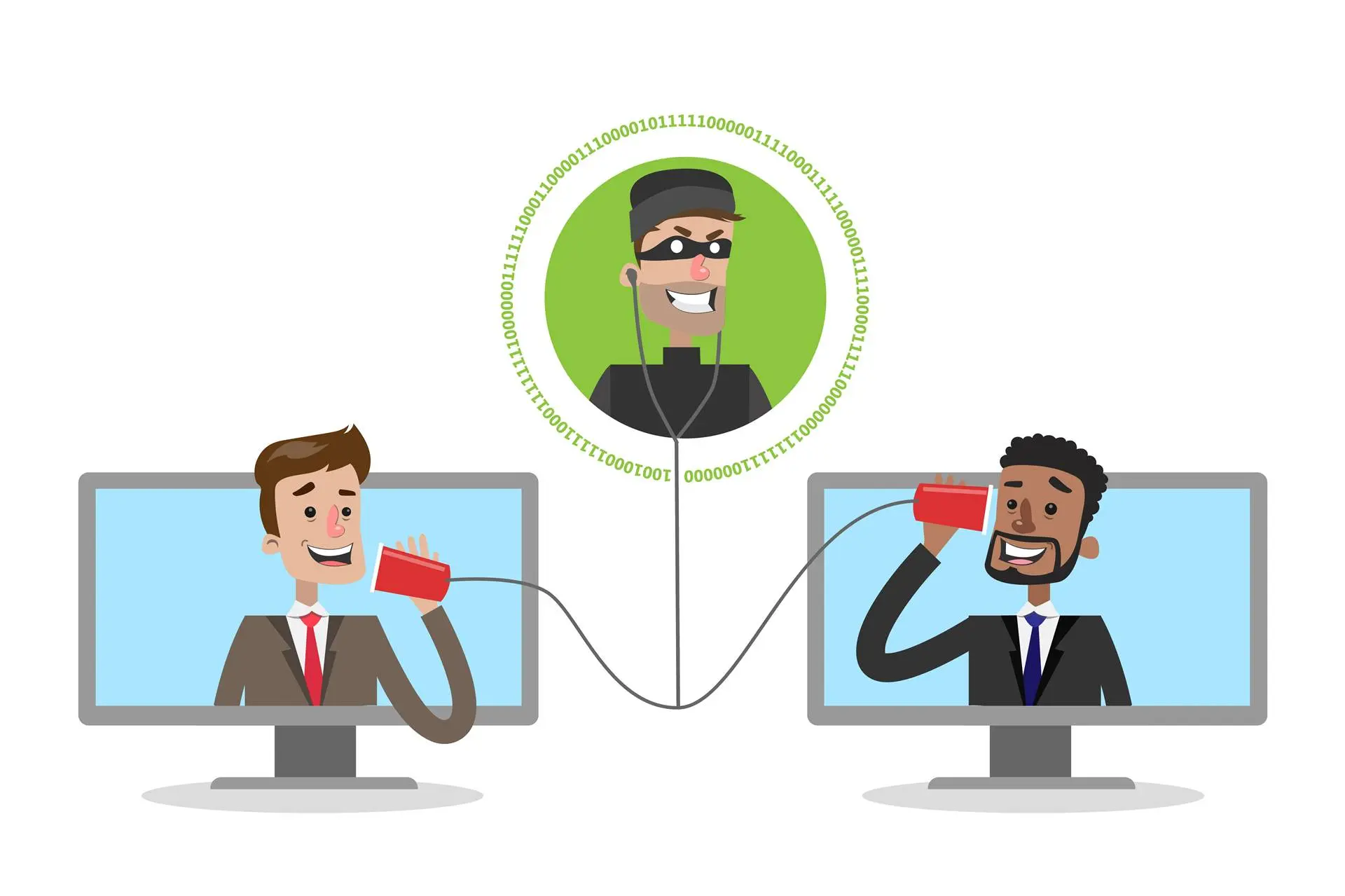
Another serious vector is intercepting transmissions in so-called “man-in-the-middle” attacks” – then the hacker doesn’t even have to create his own hotspot, he just “eavesdrops” on the traffic between your device and the public router and extracts your login, passwords or other sensitive information.
While some experts emphasize that public Wi-Fi with HTTPS and modern protocols may be less risky than it once was, the basic truth remains: you have limited control over the network you don't know, and this always means a lower level of security than a private home network or mobile internet from your own device.
Public Wi-Fi is a great convenience, but it is also an environment where cybercriminals have an easier time – so you should treat it as untrusted network and minimize risk wherever possible.

What are the real dangers of free Wi-Fi – what can really happen to you?
Public, free Wi-Fi is, in theory, convenient and offers instant internet access. In practice, however, such networks are often they have no security and are an easy target for cybercriminals. Every hotspot you can connect your device to is a potential attack surface—and not just in theory, but in the real mechanisms hackers use.
1) Man-in-the-middle attack – eavesdropping and data theft
The most serious threat in public networks is the so-called. man-in-the-middle, which is when a cybercriminal comes between your device and the Wi-Fi access point to intercept and read transmitted data. In this configuration, a hacker can track the websites you visit, your logins, passwords, and even your payment card details before they are shared further online.
2) Fake "evil twin" hotspots - sneaky network substitution
„Evil twin”" is one of the most commonly used tools: a hacker sets up a hotspot a name very similar to the legal network (e.g., "Cafe_WiFi_Free"), so users think it's an official network and connect. Once connected, all their traffic passes through the attacker's machine, which can be analyzed, modified, or used to log into the victim's accounts.
3) Intercepting information without strong encryption
Many public hotspots don't use strong encryption or no encryption at all. This means information sent by the device can travel across the network in a readable form "packet sniffing" tools. Even if you visit a site secured with HTTPS, the network itself is constantly transmitting other data that could help the attacker in further attacks.
4) Malicious hotspots and malware distribution
Cybercriminals can exploit public networks to infect connected devices with malware. This can happen, for example, by opening ports, redirecting to fake "update" pages that install malware, or by infecting the device immediately after connection.
5) Session takeover and cookie data
Techniques such as session hijacking allow hackers to obtain the so-called. cookies, which your browser saves after you log in to a website. Using them, an attacker can hijack your active session and gain access to your accounts, even without knowing your password.
Summary: Free Wi-Fi may seem harmless, but its basic features – no encryption, no control over the network, and the ease of setting up fake hotspots – make it Your data may fall into the wrong hands. In the next chapter, we'll describe the real-world situations where the risk is greatest, and when it's best to avoid public hotspots altogether.
When Free Wi-Fi Is Most Risky – Situations to Avoid
Free public Wi-Fi may seem convenient, but not all situations are equally safe. There are specific cases where the risk of exploiting an open network exceeds mere "theoretical hazard" and can actually lead to data theft, account takeovers, or more serious consequences.
Logging in to your bank or financial app
Using open Wi-Fi to log in to your bank or perform financial transactions is one of the worst security decisions you can make. At these times, your credentials and account information can be intercepted by man-in-the-middle attacks or other eavesdropping techniques.
Access to email and social media accounts
Although many services use HTTPS encryption, attackers on the same network can snoop on your activity or attempt to hijack sessions, especially if the applications don't encrypt all data. Even information about the services you use (e.g., LinkedIn, Twitter) can be easily read.
Logging in to company systems and work tools
If you work remotely and log into company systems (administrative panels, CRM, company email, or work tools), public Wi-Fi can pose a serious threat to the integrity of company data. Criminals use various techniques, such as data interception and network spoofing, to gain access to company resources.
Operations on confidential personal data
Entering or transmitting data such as ID numbers, PESEL numbers, home addresses, medical data or work details can be easily monitored on the open network – especially if the website/application does not use end-to-end encryption.
Two-factor authentication and login sessions
By using public hotspots, you increase the chances that someone will intercept your session tokens or second-factor codes – and in practice, this means that even additional security measures can be covered by advanced network attacks.
Downloading and installing applications and files
Public Wi-Fi makes it easier to inject fake updates, malicious files, or installers that can infect your device with malware. This is especially risky if your device isn't up-to-date with the latest software and security features.
Public Wi-Fi is especially risky whenever you're dealing with sensitive data—financial, personal, or business. It is safer to use mobile internet, VPN or wait for a trusted private network
6 concrete steps that will increase your safety
Public Wi-Fi has its advantages, but as experts and security institutions show, Using open hotspots without proper security measures is a risk that should be avoided – especially when dealing with sensitive data. Fortunately, there are simple and effective methods that can significantly reduce threats, even in an environment as insecure as free Wi-Fi.
1) Use a VPN – encrypt all your traffic
Before connecting to a public network, run a trusted one. virtual private network (VPN) on your device. VPN creates an encrypted "tunnel" for your traffic, making it much more difficult for third parties to eavesdrop and intercept your data.
2) Disable automatic connection to networks
By default, your phone or laptop can connect to any available network. Disable this feature and only connect to manually selected hotspots, that you recognize and trust.
3) Don't log in to sensitive services
While on public Wi-Fi avoid logging into bank accounts, company systems or entering personal data. This is risky even with HTTPS and VPN – it's better to wait for your own network or mobile internet.
4) Disable file sharing and services
Features like file sharing, printer sharing, and AirDrop can unknowingly expose your data to other network users. Before connecting disable these features in your device settings.
5) Use HTTPS and verify sites
If you must visit websites, make sure the website address starts with https:// and displays a padlock icon – this indicates that the connection to the server is encrypted. Even then, avoid transmitting highly sensitive data.
6) Forget the network when finished
Once you have finished using public Wi-Fi, go to settings and delete/forget this network from the saved list so that the device does not automatically connect in the future.
Free public Wi-Fi often cannot provide you with adequate data protection, but by following the steps above – especially VPN, disabling automatic connection and avoiding logging into sensitive services – you can significantly reduce your risk. Even then, remember: if you have a safer alternative (e.g. your own hotspot or mobile internet) – choose it instead of free Wi-Fi.
Frequently asked questions
Not fully – free Wi-Fi is often not encrypted and anyone within range can try to intercept your traffic or data, which is why security institutions recommend treating it as untrusted network and do not use for sensitive operations.
On such networks, attackers can conduct man-in-the-middle attacks, set up fake hotspots, or eavesdrop on transmissions, which creates a risk of stealing passwords, login credentials, or financial information.
HTTPS encrypts the connection between your device and the server, but does not eliminate the risk of eavesdropping or network substitution. Even then, it's still worth using a VPN and avoiding logging into sensitive services.
Best to use VPN, disable automatic connections to networks, disable file sharing and, if possible, avoid performing sensitive operations in such a network.