A password isn't enough these days. All it takes is a single data breach, a duplicate password from another service, or a well-crafted phishing email for someone to gain access to a company's email or financial system. MFA and 2FA is a simple mechanism that can block such a scenario – even when the attacker knows your password.
In this article, we explain the differences between MFA and 2FA, how they work in practice, and why implementing them is one of the most sensible first steps in building IT security in your company.
What is 2FA and MFA
To understand 2FA and MFA, it helps to start with one word: factor. An authentication factor is simply "proof" that it's really you trying to log in. You'll most often encounter three types of authentication:
• something you know – e.g. password or PIN
• something you have – e.g. a phone with an authentication app or a hardware key
• something you are – e.g. fingerprint or facial recognition
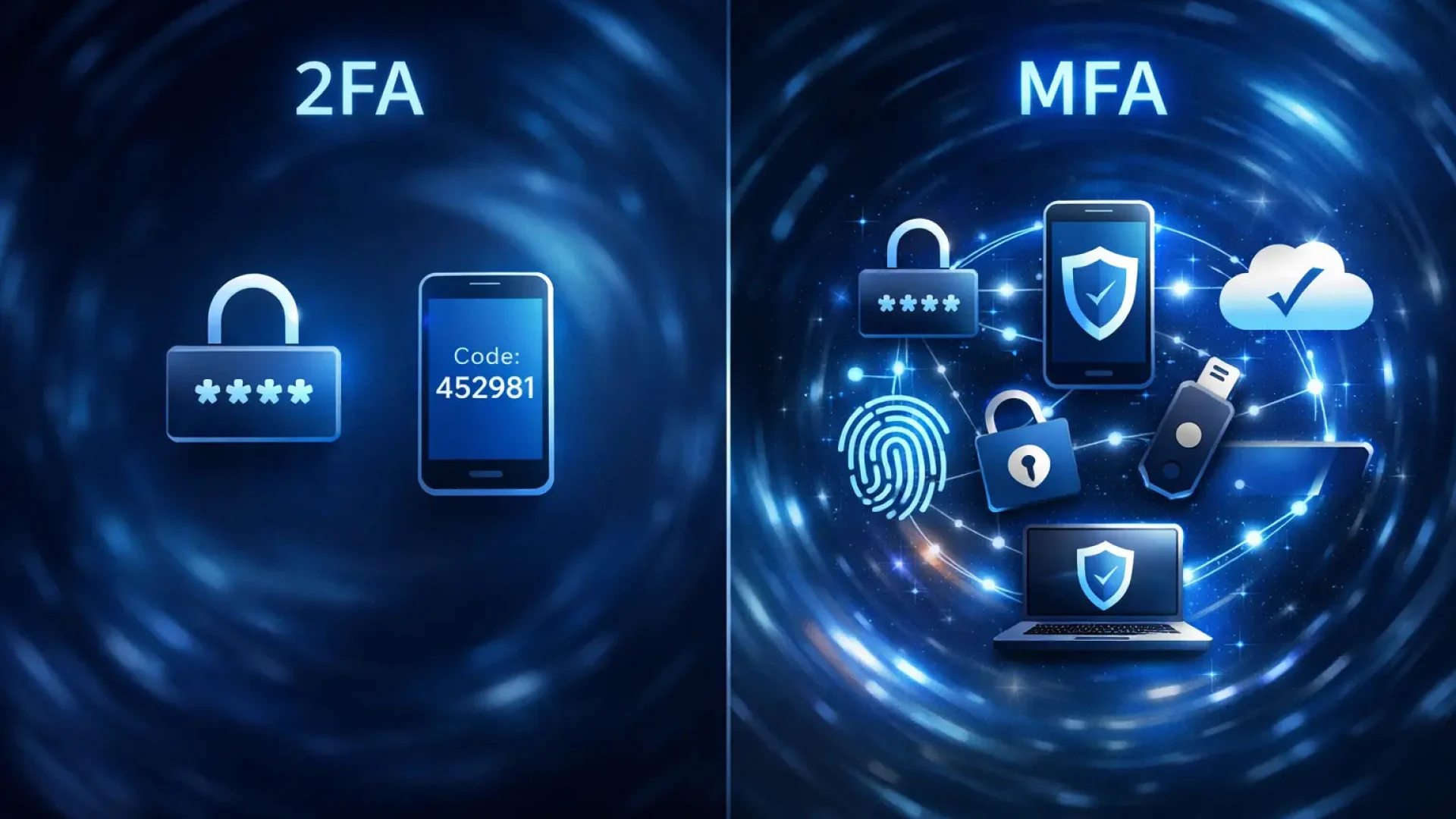
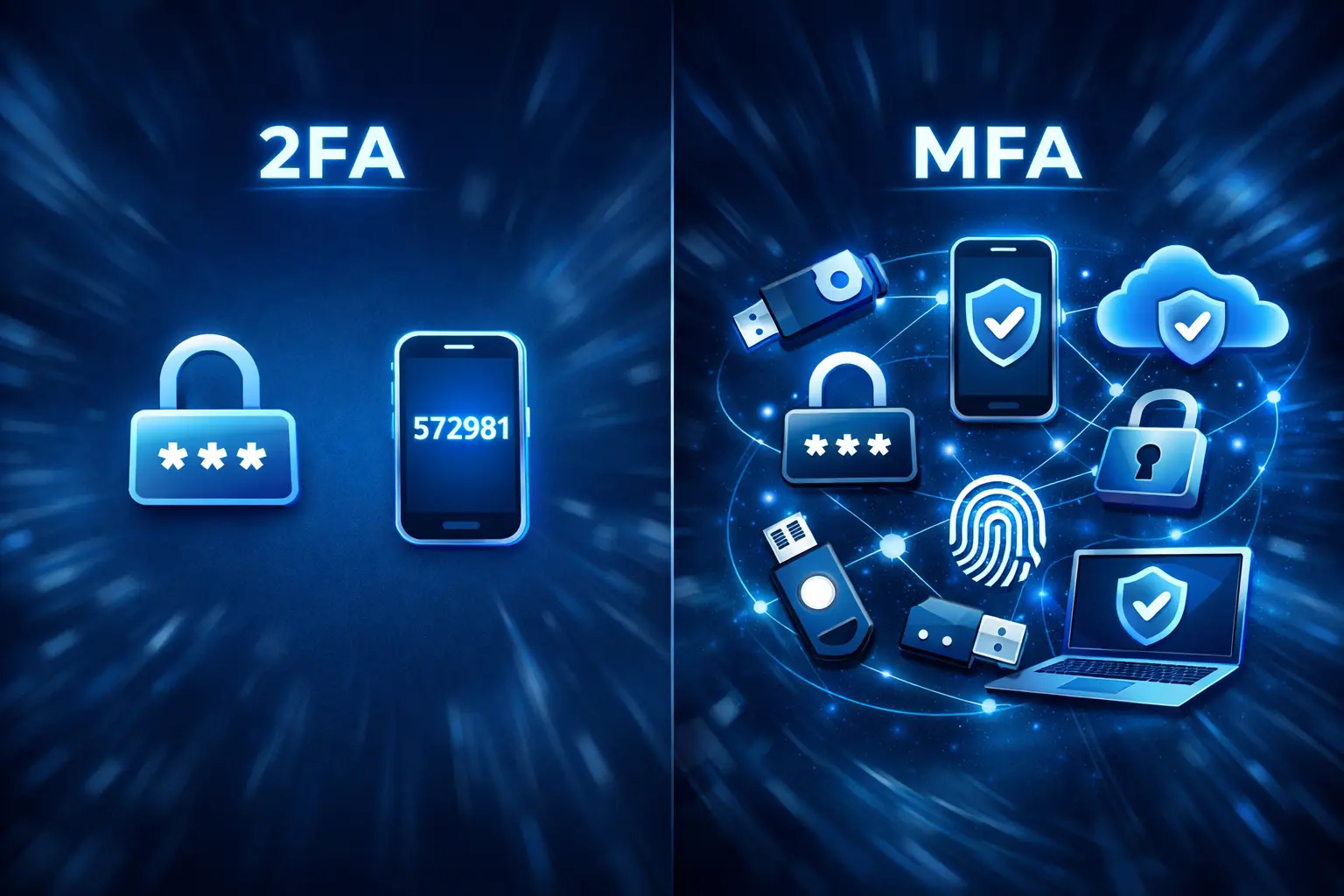
2FA (Two-Factor Authentication) is two-factor authentication - logging in requires exactly two factors. Most often, it goes like this: you enter a password (something you know), and then confirm your login with a code or a notification on your phone (something you have).
MFA (Multi-Factor Authentication) is multi-factor authentication – in practice it means logging in that requires at least two factors (sometimes more). Many people use these terms interchangeably and in everyday language it is not a "mistake" - the important thing is that it is about more than just a password.
In practice, you will most often encounter 2FA/MFA in the following scenarios:
• logging in to email and cloud (e.g. Microsoft 365, Google Workspace)
• logging in to tools with access to money or data (bank, invoicing system, payment panel)
• logging in to administration panels (e.g. WordPress, hosting panel)
• logging in to remote access (VPN, remote desktop tools, corporate systems)
The key benefit is simple: even if someone knows your password, they still have to go through the second step. And in a huge number of real attacks (phishing, password leaks, duplicate passwords), this makes the difference between a "hack attempt" and a "compromised account.".
Finally, an important clarification: 2FA/MFA is a mechanism, not a single, specific method. This second step can look different – an SMS code, an in-app code, a push notification, a security key. And the choice of method determines whether the implementation will be merely a checkbox or will actually improve security.
2FA and MFA – differences that really matter
In practice, many people use the terms 2FA and MFA interchangeably. And in everyday conversation, this isn't a big mistake – in both cases, the point is that logging in requires more than just a password. The difference starts to matter when we talk about security level, and not just about the name itself.
2FA (Two-Factor Authentication) means exactly two factors.
Most common scenario:
• password
• SMS code or code from the app
This significantly increases security compared to just a password.
MFA (Multi-Factor Authentication) means at least two factors – but there can be more. More importantly, MFA often allows for the selection of different methods and their combination. In corporate environments, this means, for example:
• password + authenticator app
• password + hardware key
• biometrics + trusted device
• different requirements depending on location, device or user role
And here comes the crux: what counts is not only the number of ingredients, but also their resistance to takeover.
Example:
Password + SMS is formally 2FA.
Password + key FIDO2 is also 2FA.
Both solutions meet the definition, but the level of protection is completely different. SMS messages can be intercepted through a SIM swap attack or operator manipulation. A phishing-resistant hardware key requires the user's physical presence and is much more difficult to bypass.
So in practice the question should not be:
Do I have 2FA or MFA?
Just:
Does my second component actually protect my account against the most common attacks?
For a small business, simply enabling 2FA in the form of an authentication app is a huge step forward. For administrative and financial accounts, or access to the entire infrastructure, it's worth considering stronger methods – ones that are phishing-resistant and don't rely solely on SMS.
2FA and MFA differ in definition, but in practice the key is quality of the second factor, not the label itself. It's this detail that determines whether the security measure is a formality or a real barrier to an attacker.
Why MFA is a "First Step" and Not a "Whim"„
Most account breaches don't begin with a complex technical attack. They begin with a password—stolen in a phishing attack, reused from another site, or guessed through guessing. The password itself is currently the weakest link in the entire security chain.
MFA is a game changer.
Even if an attacker learns the password, they're stuck at the second login step. Without access to the phone, authentication app, or hardware key, they can't proceed any further. This simple security measure can block a significant portion of real account takeover scenarios.
Importantly, implementing MFA doesn't require replacing servers, firewalls, or costly infrastructure rebuilds. In many systems, it's a matter of enabling the appropriate feature and training users. That's why it's referred to as the first step in IT security – provides a large risk reduction with relatively little effort.
This isn't a "corporate add-on." It's a fundamental layer of protection—especially where corporate email, finances, and customer data are concerned. Without it, any password is just a thin line of defense.
Which MFA/2FA methods are most common and which ones usually make sense
Not all MFA/2FA methods offer the same protection. They vary. security, resistance to attacks and user convenience - and these three aspects should determine the choice of solution in your company.
1) SMS with one-time code (OTP) – „easy start”
This is the simplest form of MFA: when you log in, you receive an SMS with a code that you enter alongside your password. It has a huge advantage: it works virtually anywhere and doesn't require additional apps. However, security is relatively low – attacks such as number hijacking (SIM swap) or phishing can bypass this second component.
It makes sense as a method initial or backup, but it should not be the only protection for critical accounts.
2) Authentication Apps (TOTP/Push) – a good compromise
Apps like Google Authenticator, Microsoft Authenticator, and others generate time-based codes or send a "confirm login" notification. TOTP codes are more secure than SMS – they don't pass through carriers and are not easily intercepted.
Push notifications are more convenient – one tap approves login – but they can be susceptible to so-called. push bombing (an attack that harasses the user with multiple requests).
This a practical method for most companies – better than SMS, good balance of security and usability.
3) Hardware Keys and Passkeys (FIDO2 / WebAuthn) – strong protection
Hardware keys (e.g. FIDO2 standards) and modern "passkeys" based on public cryptography are currently the safest MFA methods, resistant to phishing and man-in-the-middle attacks.
The key generates a unique signature only for a given domain, so even a perfect fake login page will be of no use to an attacker.
This is the best choice for privileged accounts, administrators and high-risk systems.
4) Biometrics and device-embedded methods
Many modern solutions (e.g. Windows Hello, biometric authentication on the phone) combine something you have With something you are – offering strong security without the need to enter codes.
This is a great option when your organization uses modern identity policies and corporate devices.
Summary – What usually makes sense:
• Text message: good start, not as the only security.
• MFA Apps (TOTP/push): the best compromise of security and convenience for most teams.
• Hardware keys / passkeys: highest security – best for critical accounts.
• Biometrics / device-bound methods: strong and comfortable where possible.
In practice it is often worth it combine methods – e.g. push MFA as the main and hardware key for administrators and financial systems – to get different levels of protection where it matters most.
What you can do now – quick implementation without chaos
Implementing MFA doesn't have to be a massive project or require weeks of planning. Most companies can realistically improve their security in a single day—provided they start in the right places.
1) Start with the accounts that hurt the most when compromised
Enable MFA first on: company email, administrator accounts, financial systems, invoicing and payment tools, and remote access (VPN, RDP, cloud panels). This is where the risk and potential losses are greatest.
2) Choose a sensible method – not just the first one that comes to mind„
If you have a choice, opt for an authentication app (TOTP or push codes). SMS can be a temporary or backup solution, but for key accounts, it's worth considering more robust methods, such as hardware keys or passkeys.
3) Secure the "lost phone" scenario„
Set up backup login methods and recovery codes. In a corporate environment, it's a good idea to have at least two administrative accounts with MFA and a clear access recovery procedure. Lack of a backup plan is a more common problem than the attack itself.
4) Check logs and alerts after deployment
The first few days after enabling MFA often reveal whether someone has previously attempted to log in from unusual locations. It's worth reviewing your login history and enabling notifications for suspicious access attempts.
The most important thing: don't postpone implementation "until later, because it requires careful planning." With MFA, even basic configuration significantly reduces risk. It's one of the few security elements where the cost-to-effort ratio is truly favorable.
The Most Common MFA Mistakes and How to Avoid Them
MFA can be a great way to protect accounts—but only when implemented sensibly. In practice, most problems stem not from the technology, but from the details: who has MFA enabled, which method, and what happens if something goes wrong.
1) MFA for some people, and the "most important" account remains unprotected
A common scenario: users have MFA, but the administrator, tenant owner, billing, or integration account works "without any issues." This is a mistake because attackers always target accounts with the highest privileges.
How to avoid: start with admin and financial accounts, then the rest of the team.
2) No recovery plan (lost phone = paralysis)
If someone changes their phone, deletes the app, or loses their device, the company may be stuck at the login stage.
How to avoid this: Set up backup methods, recovery codes, and at least two admin accounts with MFA. Establish a simple "what do we do when we lose the second factor" procedure.
3) SMS as the only method for critical accounts
SMS can be convenient, but it is the weakest popular 2FA variant and is often overused as a "go-to solution".
How to avoid: Treat SMS as a startup or fallback option. For key accounts, choose an app (TOTP/push), and for administrators, consider hardware keys or passkeys.
4) Leaving a weak login workaround
Even if MFA is enabled, there are often additional access paths: old protocols, exceptions, service account without MFA, "temporarily disabled" permanently.
How to avoid: Keep exceptions to a minimum and regularly check for accounts or integrations that bypass MFA.
5) "Push fatigue" - approval of logins without reading
If MFA is implemented as a push notification, a user may click "Approve" reflexively, especially when receiving a series of notifications. This opens the door to a user fatigue attack.
How to avoid: Inform your team that MFA notifications only make sense when they're the ones logging in. If in doubt, dismiss and report them.
Summary: Most MFA problems are predictable. If you secure privileged accounts, prepare for access recovery, and limit workarounds, MFA will become a real barrier, not just a checkbox in settings.
Frequently asked questions
In many cases, yes—especially when using an authentication app or hardware key. Methods based on FIDO2 and passkeys offer the highest resistance to phishing. SMS alone isn't always enough.
It makes sense as a startup or backup solution. However, it's not the most secure method, and for administrative or financial accounts, it's worth considering more robust options.
For most companies, in-app codes or push notifications are a good compromise. Hardware keys or passkeys offer a higher level of security, especially for administrators and high-value systems.
Therefore, it's worth setting up backup methods and recovery codes in advance. In a corporate environment, there should be at least two administrative accounts with MFA and a clear procedure for restoring access.
Typically not. In many systems, such as Microsoft 365 or popular admin panels, it's a matter of enabling the feature and briefly training the team. The risk reduction is disproportionately large compared to the effort involved.