Email remains a key work tool in companies. It's the gateway to invoices, orders, contracts, and ongoing customer communications. At the same time, email remains the most common attack vector—from mass spam, through increasingly sophisticated phishing, to attempts to impersonate management or contractors.
Many businesses assume that just because they use Microsoft 365 or Exchange Server, email security is a done deal. However, practice shows that standard protection mechanisms often fail to keep pace with the scale and severity of today's threats. The result? Financial losses, downtime, and an increasing burden on employees who must analyze suspicious messages daily instead of focusing on their core work.
In this context, it appears more and more often FortiMail – Secure Email Gateway solution from Fortinet. In this article, we'll explain what FortiMail is in practice, who it's for, how it costs, how it differs from Exchange and Microsoft 365 security, and when it truly becomes an investment rather than just another IT expense.
What is FortiMail and where does it sit in your email?
Do you have Microsoft 365, Exchange, or other email in your company, and yet employees still receive suspicious messages? That's normal—because the email server and email security are two different layers. Fortinet FortiMail is precisely this additional layer: the class solution Secure Email Gateway (SEG), i.e. a security gateway that filters email before it reaches user mailboxes (or before it goes outside).
FortiMail in one sentence: "pre-mailbox filter", not "new mailbox"“
In practice FortiMail most often it doesn't replace your email. You can still have:
• boxes in Microsoft 365 (ExchangeOnline),
• server Exchange locally,
• environment hybrid (some here, some there).
FortiMail acts as an SMTP “gateway”: it accepts messages, scans them (e.g. for spam, phishing, malicious attachments, sender impersonation), and only then forwards it to the appropriate postal system.
Where exactly does FortiMail “sit” in the mail flow?
The easiest way to think of it is as a controlled entry and exit point for emails.
For inbound mail a typical scenario looks like this:
The internet sends email to your domain (e.g. @yourcompany.pl).
Record MX in DNS indicates that mail should go to FortiMail first (and not directly to Microsoft 365/Exchange).
FortiMail analyzes the message and applies policies (e.g., block, quarantine, or pass).
“The ”clean” message is forwarded to your actual mailbox (Exchange Online/Exchange on-prem) and goes to the user’s mailbox.
For outbound mail The idea is to ensure your emails are also monitored for data leaks (DLP), unusual attachments, attempted spam from a compromised account, and compliance with company policies. In practice, this is achieved through routing rules and connectors in Microsoft 365 or configuration on the email server.
Deployment options: hardware, virtual or cloud
FortiMail can be implemented in several forms – the choice depends mainly on where you have your email and how you want to manage the infrastructure:
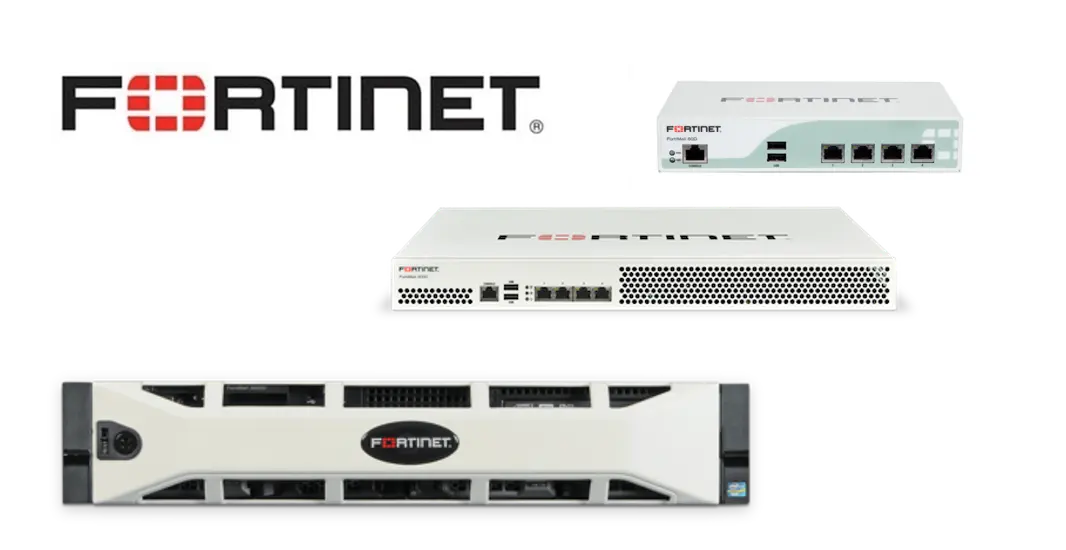
• FortiMail as an on-prem appliance – a physical “gateway” in your server room.
• FortiMail as a Virtual Machine (VM) – runs on your virtualization platform or in the cloud (e.g. AWS/Azure), but is “yours” and managed like a system.
• FortiMail Cloud – service variant (hosted), where Fortinet maintains the platform and you configure domains, policies and integration.
In practice, for many companies, the most important question is whether you want an in-house solution (greater control) or a cloud-based model (less infrastructure to maintain). The underlying logic—a filter in front of the mailbox—remains similar.
Why does this “place” in the mailbox have business significance?
If FortiMail is at the gateway, it can intercept threats before they burden employees and the helpdesk. When integrating with Microsoft 365, you also need to remember to properly configure the mail flow (MX, connectors, and possibly mechanisms such as Enhanced Filtering) so as not to compromise the quality of classification and protection on Microsoft's side.
For whom does FortiMail make sense – and when is it an excess?
The decision to implement an additional layer of email security rarely comes down to the question, "Is this the right solution?" The more important question is: whether this solution corresponds to the real risks and scale of your company's operations. FortiMail is not a tool "for everyone", but in many environments it very quickly ceases to be a cost and begins to play the role of securing business processes.
When does FortiMail make real business sense?
FortiMail is most often used in companies where email is a critical operational channel, not just a communication tool. Warning signs that standard protection may not be sufficient are quite common:
• Phishing emails impersonating contractors appear regularly, invoices, changes in account numbers or urgent transfer orders.
• The company makes payments, orders or financial decisions based on e-mails, which increases the risk of BEC (Business Email Compromise) attacks.
• Employees spend time every day manually analyzing suspicious messages, instead of focusing on your responsibilities.
• The email environment is mixed or changing – migration to Microsoft 365, hybrid with on-premises Exchange, multiple domains or companies.
• There are formal or audit requirements related to data protection, correspondence archiving or information leak control.
• IT needs more control over security policies, than the default settings in mail offer.
• The company wants to make email protection independent of a single ecosystem, treating it as a separate, specialized layer.
• The number of users and the volume of mail mean that even minor downtimes constitute real operating costs.
In such scenarios, FortiMail acts as a filter at the entrance to the organization – cutting off threats before they become a problem for users, accounting or helpdesk.
When might FortiMail be an overkill?
There are also situations where implementing FortiMail will not provide proportionate value and a better step is to refine existing security measures:
• Very small environments, where the number of users is small and the financial and operational risks associated with email are limited.
• Companies that have a well-configured Microsoft 365 with EOP or Defender and they don't observe real problems, such as phishing, impersonation or excessive employee workload.
In these cases, an additional layer of protection can introduce unnecessary complexity without a clear return on investment.
How to approach decisions sensibly?
The best criterion is not the number of employees or the technology itself, but cost of risk and cost of time. If email is a channel through which money, data, or business decisions flow, then its protection should be treated as process security, not just "anti-spam.".
If you see some of the signals described in your company, it's worth considering FortiMail not as just another infrastructure element, but as a tool that organizes and stabilizes daily work. We can help you assess whether FortiMail will actually solve your problem or whether a better configuration of what you already have will be enough.
What security does FortiMail provide?
If you have email in Microsoft 365 or Exchange, some protection is already in place. The problem is that email attacks today are "tailor-made"—there's less mass spam and more messages that look legitimate: with the name of your provider, a request for additional payment, a change of account number, or an "urgent" order from a manager. FortiMail is designed to catch such messages earlier and more consistently, before they reach user inboxes.
Protection against phishing, spoofing, and BEC attacks
In practice, the most damaging emails aren't those that scream "you win," but those that pretend to be legitimate business correspondence. FortiMail places a strong emphasis on detecting spoofing and targeted attacks (phishing, spear phishing, BEC).
What is really important here from the company's perspective:
• Impersonation detection – i.e. a situation where someone impersonates a specific person or domain (e.g. "CEO", "accounting", key contractor).
• Identity-based and rule-based policies – you can enforce stricter rules for sensitive departments (finance, human resources) and for “external” messages pretending to be internal correspondence.
• SPF/DKIM/DMARC support – i.e. mechanisms that help verify whether the sender has the right to send emails on behalf of a given domain (simply: whether someone is not “pretending” to be your domain).
• Quarantine and workflow for suspicious messages – instead of „letting it go and relying on vigilance”, you can send suspicious emails to quarantine and give IT or selected people the opportunity to quickly accept/reject them.
Protection against malware and “fresh” threats in attachments and links
The second area involves attachments and links that lead to sites that steal logins or install malware. FortiMail aims to ensure that suspicious messages are not only flagged but, if necessary, held for analysis.
Typical mechanisms that make a difference in practice:
• Multi-layered content and attachment scanning (anti-spam/anti-malware, reputation, heuristics) – instead of one evaluation method.
• Optional analysis of "suspicious" files in the sandbox – i.e. running the attachment in a controlled environment to check if it behaves like malware (this is especially useful for new, unknown samples).
An important business point: this isn't about "never getting anything done," but rather about limiting the number of situations in which an employee has to make decisions based on intuition.
DLP, encryption and outbound email control
In many companies, the biggest risk is not that someone will "break in" via email, but that data will flow out – by mistake, haste, or a compromised account. FortiMail can also work with outgoing email, allowing you to implement additional control over what your organization sends out.
Practical application examples:
• DLP (Data Loss Prevention) – rules detecting sensitive data in the content/attachments (e.g. identification numbers, customer data, document fragments) and blocking or directing the message for approval.
• Message encryption – when you send information that should not be sent in clear text (e.g. contracts, financial data), you can enforce encryption according to policies.
• Domain reputation protection – reducing the risk that a compromised account will start sending spam, which will result in blocks and deliverability problems.
• Central login and reports – in the event of an incident, you can more quickly answer the question: who received the message, what was blocked and why.
If you were to remember one sentence from this chapter, it would be this: FortiMail doesn't "add another antivirus to your email," it just streamlines and strengthens the filtering process – especially where payments, data, and employee time are at stake.
FortiMail vs Exchange – what to compare so as not to confuse topics
This is one of the most common mistakes when talking about email security: comparing FortiMail directly to Exchange as if they were the same type of solution. They're not. And only when we break this down does the comparison begin to make sense—especially in the context of real protection against phishing and targeted attacks.
Exchange is the mail server. FortiMail is the layer of protection.
Microsoft Exchange (both on-prem and Exchange Online in Microsoft 365) is responsible for:
• user mailboxes,
• shipping and receiving mail,
• calendars, contacts, Outlook integration.
It also has built-in protection mechanisms, but their role is auxiliary. They are security measures "alongside" the mail server, not a specialized security platform.
Fortinet FortiMail has a completely different function:
• stands Before Exchange or Microsoft 365,
• filters email traffic before it reaches inboxes,
• focuses solely on security and politics.
That's why FortiMail is not a 1 to 1 Exchange replacement. He's got it complements – exactly where the mail server has natural limitations.
Where do Exchange capabilities end and FortiMail begin?
Exchange (especially in on-premises environments) offers basic anti-spam and anti-malware filters. The problem arises when threats:
• are not mass-produced,
• do not contain obvious malware,
• look like proper business correspondence.
And this is where FortiMail excels actually better, because:
• analyzes context, not just the content,
• has extensive mechanisms for detecting sender impersonation,
• allows you to build precise policies for specific scenarios (finance, human resources, management).
In practice, Exchange focuses on "can the message be delivered" and FortiMail focuses on "should this message be delivered?".
What about Microsoft 365, EOP and Defender?
In cloud environments, a natural question arises: if we have Microsoft 365, why do we need an additional gateway?
It is worth stating clearly here: EOP and Defender for Office 365 are solid solutions, But:
• operate within one ecosystem,
• have a certain flexibility of policies,
• do not always allow for such detailed control as a dedicated SEG gateway.
FortiMail is implemented:
• before Microsoft 365 – as the first line of defense,
• Near – for selected domains, users or high-risk scenarios,
• as an independent layer in companies that want to separate security from the email provider.
This „layered” approach is standard today for companies that take email risk seriously.
How to read this comparison from a business perspective?
The most important conclusion is simple:
FortiMail does not replace Exchange – it secures the process that Exchange supports.
If your company:
• bases financial decisions on emails,
• bears the real costs of downtime and manual message verification,
• wants to reduce the risk of human error,
FortiMail does not compete with Exchange. It closes the gap, which the mail server itself – even a well-configured one – is usually unable to fully cover.
How much does it cost and what is FortiMail licensing like?
The cost of FortiMail depends in practice on form of implementation, scale of organization and selected protection and support components. It's impossible to provide a single, universal price, as the solution can function as a physical device (appliance), a virtual machine, or a cloud model with various subscription packages. Below, you'll find reliable, up-to-date market information based on real offers—no speculation.
FortiMail Licensing Models
FortiMail can be licensed in three main ways:
• Appliance (physical device) – you buy hardware + security licenses.
• FortiMail VM (virtual instance) – subscription license depending on power and CPU.
• FortiMail Cloud (hosted service) – subscription to mailboxes or gateway.
Appliance – Hardware + Security Licenses„
Examples of real prices (from distributors' offers):
• FortiMail-200F (basic device) - ok. USD 3,500 net for the appliance only (without protective licenses).
• FortiMail-200F with 1-year FortiGuard Base + FortiCare package - ok. $5,200 net.
• FortiMail-200F with 3-year Base + FortiCare package - ok. $8,700 net.
• FortiMail-200F with 5-year Base + FortiCare package - ok. $12,250 net.
*Current prices can be found on official websites or from verified partners.
For larger models (e.g. 900F) prices are significantly higher and can start from several thousand dollars for a device and annual/three-year/five-year protection licenses.
What does this mean in practice?
The hardware itself is only one part of the cost. For FortiMail to perform its email security function, you need FortiGuard (anti-spam/anti-malware) and FortiCare (support/updates) subscriptions – without this the device loses most of its protective value.
Virtual Instance – Subscription Licenses
For FortiMail running as a virtual machine (VM), the license is usually subscription-based and depends on the power of the machine (e.g., the number of virtual CPUs):
• Example prices for FortiMail-VM subscription packages with protection licenses may start from from several tens of thousands of zlotys over a period of several years, e.g. a package with a Base/ATP license and FortiCare support for 3–5 years, depending on CPU resources.
• Smaller instances (e.g., VM08) with full support and security services can have list prices ranging from a few thousand to several thousand dollars for several years of subscription, although the exact values depend on the specific package.
In practice VM licenses are more expensive for higher workloads/CPUs and offer greater scalability for organizations with high email traffic.
FortiMail Cloud – Mailbox-Based Subscriptions
FortiMail also offers a version hosted (Cloud), the cost of which depends on the number of boxes and the length of the subscription:
• For the scope 25–100 boxes prices may start from under $100 for 3 years. avfirewalls.com
• For larger scopes (e.g. 101–1000 cases), annual, 3- and 5-year options are also available at relatively low rates, e.g. tens to hundreds of dollars depending on the scope and Premium version.
• There are also options Premium with Cloud API Connector (e.g. integration with Microsoft 365), which constitute an extension of protection and are priced separately.
Attention: Prices quoted in online offers may be unit prices, and only after multiplying by the number of users/mailboxes do you get the full subscription cost.
What really affects the total cost of ownership (TCO)
When planning your budget, it is worth considering several elements:
• Protection licenses (FortiGuard): anti-spam, anti-malware, reputation, heuristic analysis.
• Support (FortiCare): updates, telemetry, incident response.
• Implementation model: appliance vs VM vs Cloud.
• Subscription period: 1, 3 or 5 years – longer subscriptions usually have better unit prices.
• Implementation and administration: configuration of DNS/MX, security policies, integration with Microsoft 365/Exchange.
• Scale and load: number of mailboxes, email traffic, DLP/encryption policy.
Price Transparency – An Honest Reflection
There is no single „FortiMail price” that can be standardized for all companies because:
• prices vary depending on the hardware and subscription variant,
• Offers are often negotiated depending on the size of the organization, timeframe and support.
• Licenses are often sold in bundles with other hardware or as part of partnership agreements.
If you need a specific calculation for your company (ROS, number of boxes, implementation model), we can help you prepare an estimated cost based on real market offers.
Is it worth implementing FortiMail – decision criteria and mini-case
At this stage, the most important question usually arises: Will FortiMail actually solve my problem or will it just be another element of the infrastructure? The answer does not depend on the technology itself, but on how email is handled in your company and what costs – often hidden – are generated by today's threats.
When FortiMail Really Makes Sense – Key Criteria
From a business perspective, FortiMail is worth considering when several of the following conditions are met:
• Email directly influences money or decisions – invoices, changes to account numbers, orders, approvals.
• Phishing and impersonation are not an incident, but an everyday occurrence, even if they end up being „only” a manual analysis.
• Employee time is becoming a real cost, not an abstract IT problem.
• You want to reduce the risk of human error, instead of relying solely on user vigilance.
• You need consistent security policies, which work regardless of whether the email is on-premises, in Microsoft 365 or in a hybrid model.
• You want a layered approach to security, and not on one mechanism "for everything".
If email is a critical part of your processes, FortiMail stops being a technical add-on and starts acting as an operational security feature.
Mini-case: When Phishing Starts to Cost Real Money
In one manufacturing company near Warsaw, employing over 200 people, the problem was not spectacular fraud. There was no seizure of funds or data leakage. The problem was time.
Every day, employees – especially those in finance and administration departments – received phishing emails. Each one required a moment of attention: checking the sender, content, attachments, and sometimes consulting with IT. Seemingly, these were minutes. On the scale of a single employee, insignificant. On the scale of the entire organization – several minutes a day per person.
After adding up this time and converting it into real labor costs, it turned out that the company loses thousands of zlotys a day solely for the analysis of fake or suspicious emails. Implementation Fortinet FortiMail so it was not intended as "another security measure", but cutting off the source of losses.
The effect was simple and measurable:
The vast majority of phishing attacks were stopped at the gateway level, the number of messages requiring manual analysis dropped to a minimum, and email was no longer a daily source of micro-downtime. In this case, FortiMail it didn't turn out to be a cost, but an investment with a return, visible in the organization almost immediately.
FortiMail as a business decision, not a technology one
This example clearly demonstrates that the question "is it worth it?" is rarely about the effectiveness of security measures. It's more about, how much does it cost to lack this layer of protection? – in time, employee attention and risks that are quietly growing.
If your company's email is creating more security work than it should, FortiMail could be the way to clean up that area. We can help you assess whether this will be a viable investment for you, or whether it really just needs to be improved upon with your current security measures.
Frequently asked questions
NO. FortiMail does not replace the email server. It is a Secure Email Gateway solution, i.e. a security gateway that works before Exchange or Microsoft 365 and filters messages before they reach user inboxes. In practice, FortiMail complements email, rather than competing with it one-to-one.
Yes. FortiMail is very widely deployed. in conjunction with Microsoft 365 (Exchange Online). It acts as an additional layer of protection before email reaches the Microsoft cloud, or as a complement to existing security measures (EOP/Defender), particularly in the areas of phishing and sender spoofing.
Yes. A FortiMail device or instance alone is not sufficient. For full protection, you need security service subscriptions (FortiGuard) and technical support (FortiCare). Without them, the effectiveness of protection and the timeliness of mechanisms decrease significantly.
We implement FortiMail locally for companies from Warsaw and the surrounding area, and also remotely throughout Poland. The working model (on-prem, cloud, hybrid) is not a limitation – the key is to match the solution to your email architecture and business processes.
Yes. We have experience in both selecting the appropriate FortiMail variant, as well as its configuration and integration with Microsoft 365 and Exchange. We help you through the entire process – from needs and risk analysis, through DNS and security policy configuration, to the launch and stable operation of the solution within your company.
If any of these questions describe your situation particularly well, it's a sign that FortiMail is worth looking at not only as a technology, but as a tool for organizing email security in the company.
Email security today isn't just about protecting against viruses and spam, but a real element of business continuity. Phishing, impersonation, and BEC attacks increasingly involve exploiting employee urgency, routine, and trust rather than "breaking in.".
FortiMail It's not a replacement for Exchange or Microsoft 365. It's a specialized layer of protection that sits in front of email and intercepts threats where standard mechanisms often fail—before they reach users and start wasting time or money. In companies where email influences financial and operational decisions, this approach quickly ceases to be a cost and becomes an investment.
If you feel like your organization's email requires more and more attention and the risks are growing faster than the number of security measures, We'll help you calmly assess whether FortiMail is the right solution and how to implement it without disrupting your team's work..